15 Best AI Business Platforms for Teams in 2026
Nearly 90% of organizations now use AI tools regularly. But as companies adopt more AI solutions, they're running into scattered workflows, security headaches, and surprise costs. When every team uses a different AI app, you end up with disconnected data and duplicated work.
The solution? AI business platforms that bring chat assistants, automation, and knowledge management together with proper security and admin controls.
I tested the top 15 AI platforms for business, evaluating them on team collaboration, knowledge integration, admin controls, security, and pricing. Here's what I found works best in 2026.
Quick Summary: Top AI Platforms for Business
- Menturi - Best for teams wanting one workspace with multiple AI models, knowledge base integration, and cost controls. Free trial available, Standard from $9.99/seat.
- ChatGPT (Business & Enterprise) – Best for GPT-5 at scale with enterprise security. Business self-serve $25/seat/month; Enterprise custom pricing.
- Microsoft 365 Copilot – Best for Microsoft Office users. Add-on from ~$18/seat annually (requires M365 subscription).
- Gemini for Google Workspace – Best for Google Workspace environments. Included in business plans at no extra cost.
- Anthropic Claude – Best for handling long documents (100K+ tokens). Team plan from $25/seat (5+ seats).
- Notion AI – Best for wikis and docs with integrated AI. Included in Notion Business ($20/user/month).
- Atlassian Intelligence – Best for Jira/Confluence users. Included in Premium/Enterprise Cloud plans.
- Coda AI – Best for all-in-one docs with AI assistants. AI features included on paid plans.
- HubSpot AI – Best for marketing and sales teams. Included in Pro/Enterprise tiers using credit system.
- Salesforce Einstein (Agentforce) – Best for large enterprises. Add-on packages from ~$125/user/month.
- Apollo.io – Best for affordable lead generation. Free plan available; paid from ~$39/month.
- Intercom Fin – Best for customer support automation. From $29/month + ~$0.99 per resolution.
- Zendesk Advanced AI – Best for high-volume support teams. 5 free resolutions/agent/month on Pro, then ~$1.50 each.
- Zapier AI – Best for connecting AI across 5,000+ apps. Usage-based pricing, AI tools included.
- Canva Magic Studio – Best for design and marketing content with AI. Included in Canva Business (from $30/user).
Detailed Reviews
1. Menturi – One AI Workspace for Teams
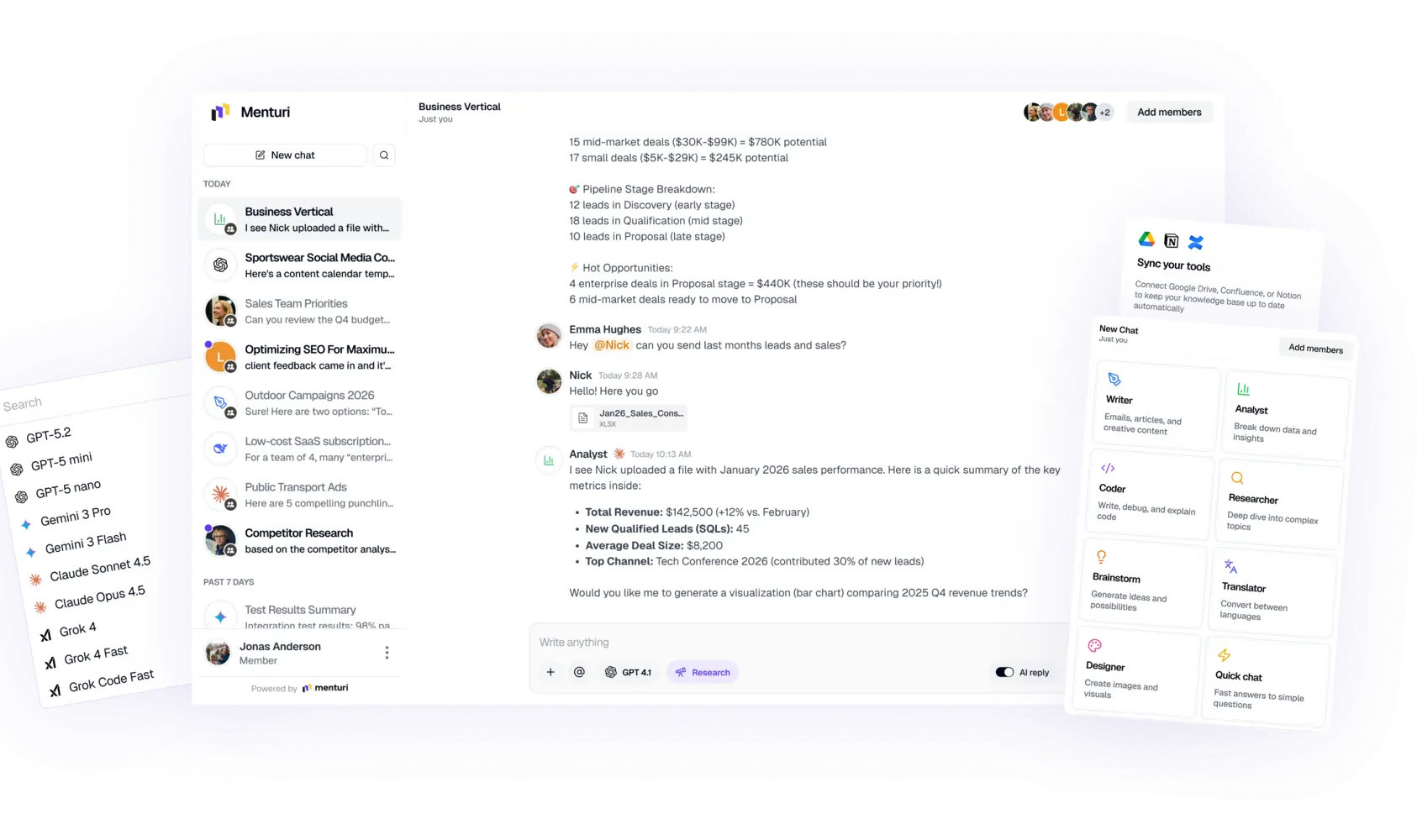
Best for: Companies wanting to use multiple AI models (ChatGPT, Claude, Google Gemini) in one secure workspace with team knowledge integration and granular admin controls.
What it does: Instead of paying for separate ChatGPT, Claude, and other subscriptions, Menturi gives your team access to all major models in one interface. You can switch between models instantly (draft in GPT-5, refine with Claude) without juggling multiple logins.
The standout feature is the knowledge base integration. Connect Notion, Confluence, Google Drive, and other document repositories so the AI can answer questions based on your actual company data, not just generic training.
Key features:
- Multiple AI models in one place – Access OpenAI, Anthropic, Google, and more in a single chat interface. Use each model's strengths for different tasks.
- Knowledge base integration – The AI pulls content from your company docs in real time. Instead of generic answers, it cites your internal policies, wikis, and files.
- Team collaboration – Share chats and prompts across your workspace. Build on each other's AI queries instead of duplicating work.
- Admin & cost controls – Dashboard shows usage per user (messages, tokens, spend). Set model access policies, per-user credit limits, or use your own API keys on higher plans.
- Security – All data encrypted, SOC 2 Type II in progress. SSO integration available. Menturi doesn't train on your chats.
Pros: One workspace for all AI needs, less context switching. Strong admin features. Teams report up to 60% lower AI costs versus separate accounts. Familiar chat interface requires minimal training.
Cons: Newer platform, less brand recognition. Focused on text-based AI (no image generation). Cloud-only, no self-host option. Users need to learn which model suits which task.
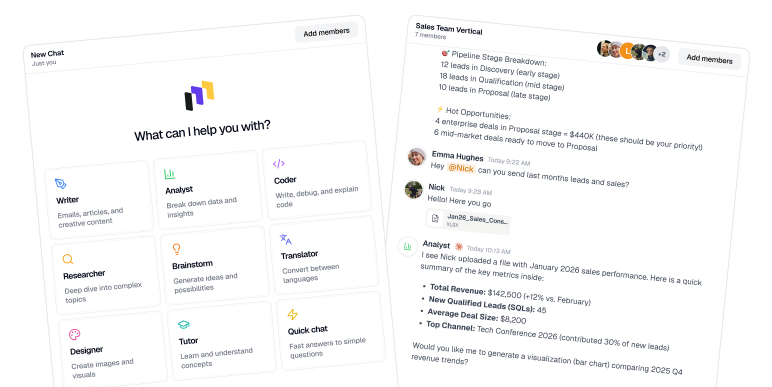
Pricing: Free trial available. Standard $9.99/seat/month. Professional $14.99/seat (10-seat min and comes with features like Advanced Research). Credits are pooled and rollover. Much more accessible than ChatGPT Enterprise (~$60/user with 150-seat minimum).
Who should use it: Teams experimenting with multiple AI models, companies worried about employees using unapproved tools, or anyone wanting enterprise oversight without enterprise contracts.
2. OpenAI ChatGPT (Business & Enterprise)
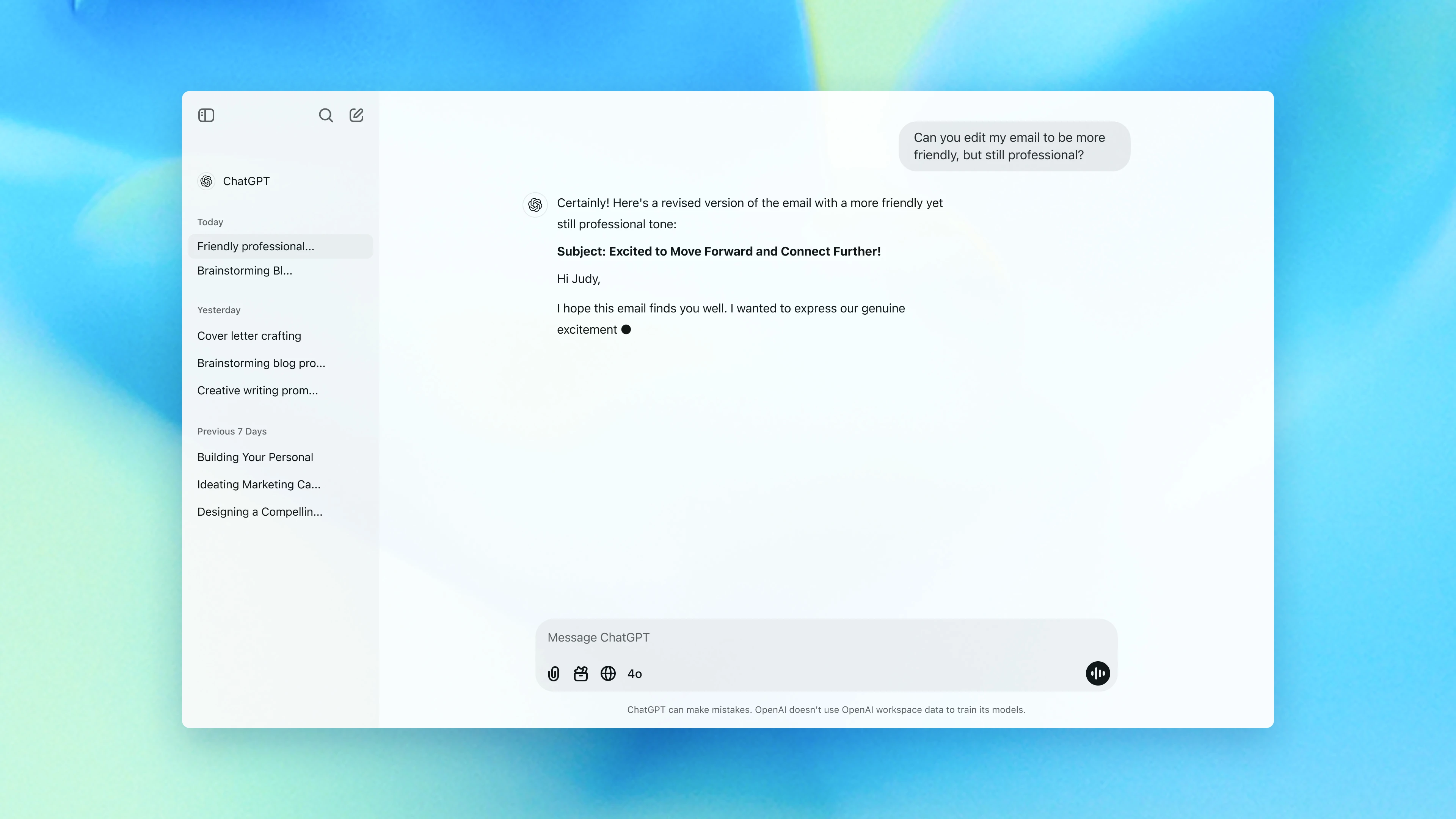
Best for: Teams that want a fast, general-purpose AI workspace with strong privacy controls and minimal rollout friction.
What it does: ChatGPT Business (formerly ChatGPT Team, renamed Aug 2025) gives your org a dedicated workspace in ChatGPT with admin controls and business data protections. Enterprise adds higher-grade governance options and contract-based terms for larger orgs.
Key features:
- Business workspace + admin controls — Dedicated team space, user management, and policy controls.
- SSO (Business) — Supports SAML SSO for ChatGPT access (self-serve).
- Privacy by default for business data — Business/Enterprise data isn’t used to train models by default (per plan terms).
- Collaboration — Shared chats/projects/knowledge workflows (varies by plan and admin settings).
Pros: Best-in-class AI with a polished interface everyone knows. No learning curve. Unlimited usage for heavy users. Business tier lowered entry barriers for smaller teams.
Cons: Cost is significant. Enterprise has no public pricing (~$60/user/month with 150-user minimum). Business is $25/user/month annual. Single-model solution (only OpenAI). Some enterprises want more audit logs or on-prem deployment.
Pricing: ChatGPT Business $25/seat/month (annual) or $30 month-to-month. Enterprise custom-priced, typical ~$60/user. No free plan for business data.
Who should use it: Larger companies wanting top-tier AI performance. If your team is already heavy ChatGPT users and you need to remove limits. Organizations with strict security that prevented ChatGPT use can now satisfy compliance.
3. Microsoft 365 Copilot
Best for: Companies deeply embedded in Microsoft ecosystem (Office, Teams, SharePoint) who want AI woven into daily workflows.
What it does: Microsoft 365 Copilot is an AI companion across the Office suite. It drafts emails in Outlook, summarizes meetings in Teams, creates slideshow outlines in PowerPoint, analyzes data in Excel—all via natural language within the apps you already use.
Key features:
- Embedded in Office apps – Lives in the ribbon/toolbar. Need a proposal draft? Ask Copilot in Word. Overwhelmed by email? Copilot in Outlook summarizes and suggests replies.
- Chat in Teams – Recaps meetings, lists action items, answers "What decisions were made?" by analyzing transcripts on the fly.
- Business data grounding – Integrated with Microsoft Graph, Copilot uses your files, calendar, emails, SharePoint to give tailored answers (with proper permissions). Your data stays in your tenant.
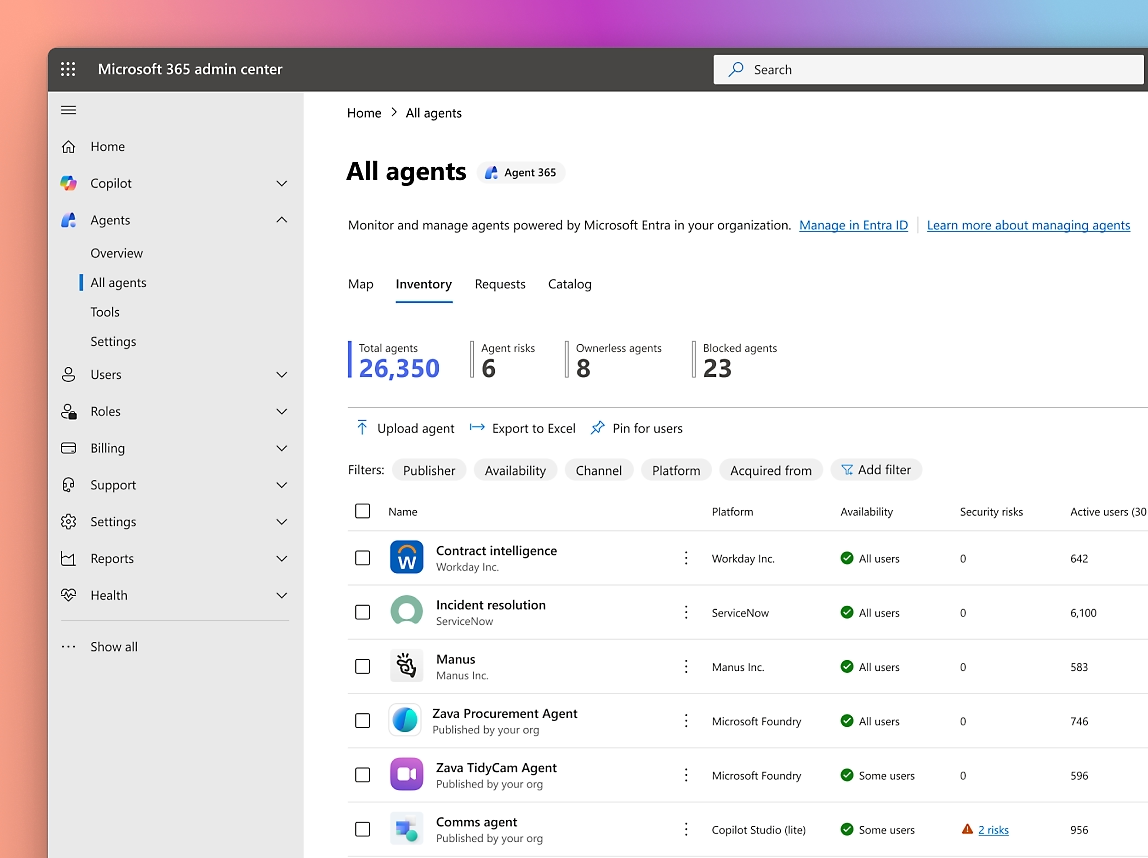
- Admin and compliance – Respects existing M365 security groups. Admins manage rollout via M365 admin center.
Pros: Seamless integration if you already use Office. Can seriously boost productivity (early users report saving hours). Single trusted vendor, data stays in Microsoft cloud.
Cons: Cost and licensing complexity. Copilot is a paid add-on ($18-$30/user/month on top of existing Office subscription). Tied to Microsoft stack, won't help with Google Drive or Notion. Initial rollouts sometimes produce generic content that needs human refinement.
Pricing: $18-$30 per user/month add-on. Initially 300-seat minimum, now available for all business sizes.
Who should use it: Teams that want AI embedded into email + documents + meetings and already standardize on Microsoft 365.
4. Google Workspace with Gemini
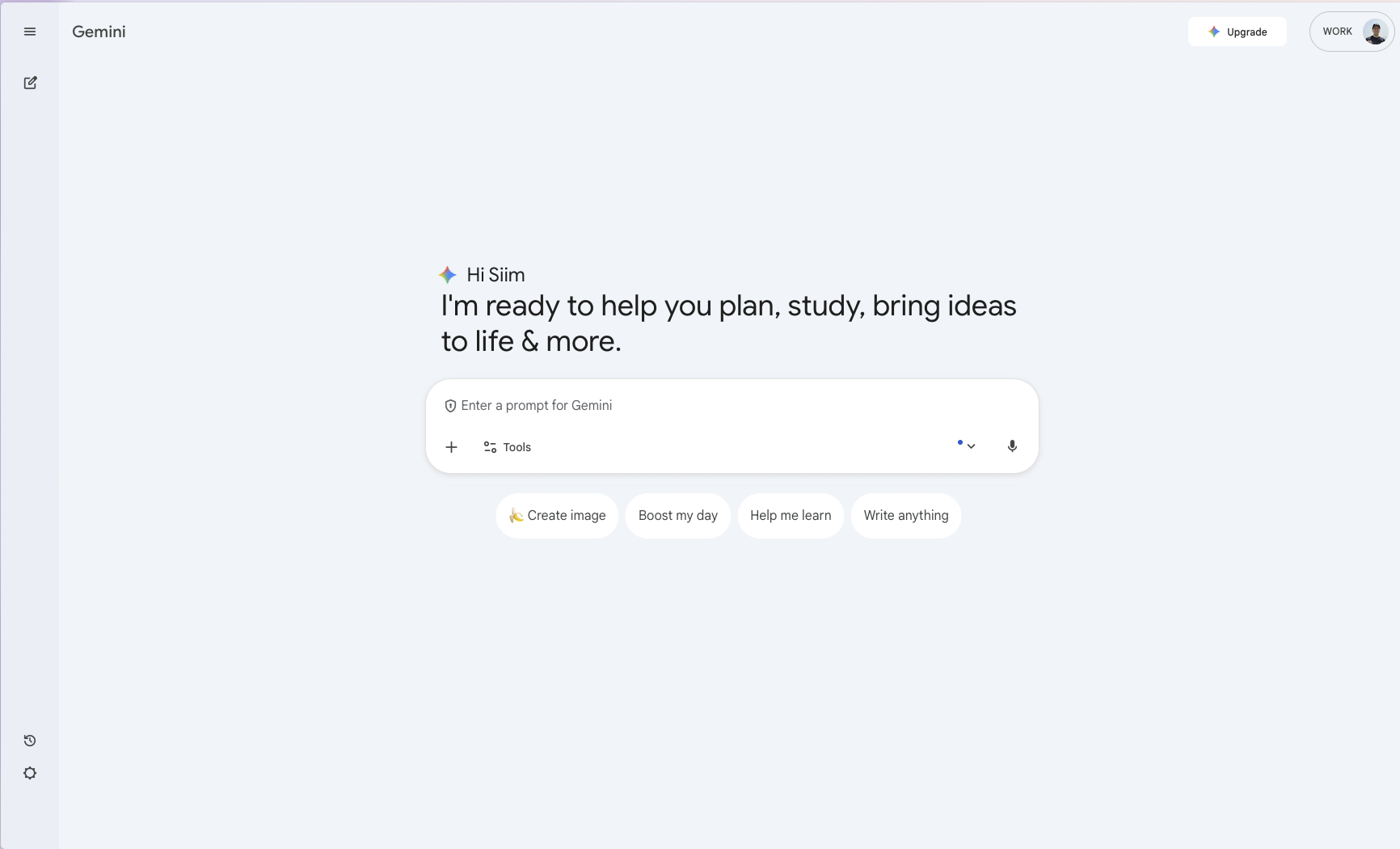
Best for: Teams on Google Workspace (Gmail, Docs, Sheets, Slides, Meet) who want AI assistance built into their daily workflow.
What it does: Gemini is integrated across Google Workspace to help teams write and refine emails and documents, summarize and extract insights, assist with spreadsheets, and support meeting productivity, without switching tools.
Key features:
- Writing + editing in Gmail & Docs - Draft, rewrite, summarize, and brainstorm directly where work happens.
- Sheets assistance - Help with analysis, formulas, and turning questions into structured insights.
- Meet productivity - AI-assisted meeting workflows (availability depends on plan and admin settings).
- Admin controls - Central management through the Google Admin console (enable/disable features, policy controls
Pros: Seamless for Google-native teams, low adoption friction, strong collaboration-first workflows.
Cons: Exact Gemini features can vary by plan/region; Enterprise pricing is quote-based; some orgs still need enablement/training to get consistent usage. Rollout of some features has been gradual. Very focused on enhancing Google apps, won't help with content in non-Google tools. Less customization than Menturi/Microsoft/OpenAI offerings. Users might not realize AI features exist without training.
Pricing (U.S. list price, annual plans, varies by region):
- Business Standard: $14/user/month
- Business Plus: $22/user/month
- Enterprise: Contact sales
Who should use it: Organizations standardized on Google Workspace that want AI support across email, docs, meetings, and spreadsheets without adding another platform.Existing Google Workspace customers should absolutely enable it. Especially handy for marketing (copywriting), sales (prospecting emails), HR (job descriptions), data analysis (charting in Sheets).
5. Anthropic Claude (Claude for Work)
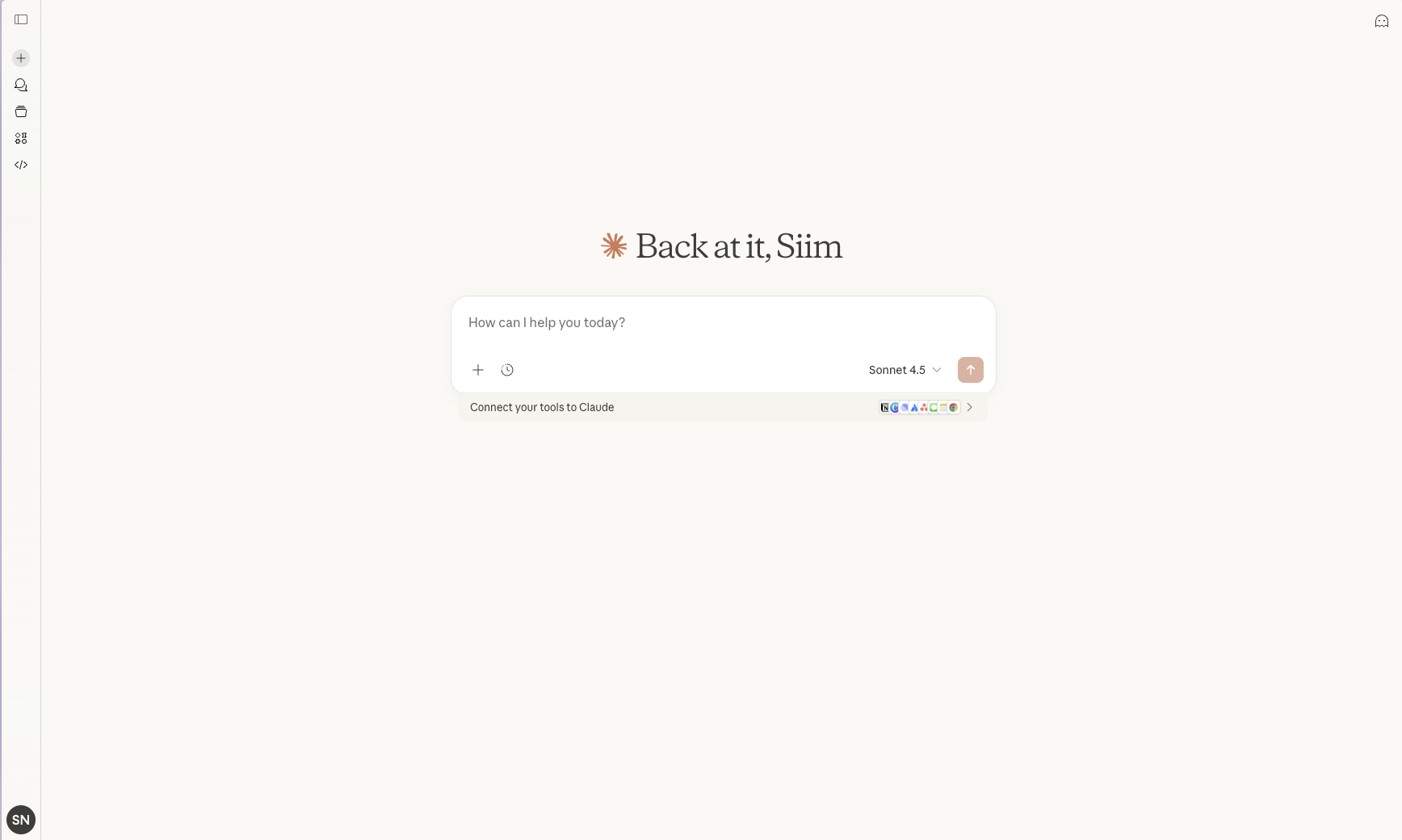
Best for: Teams that need strong long document handling, reliable writing, and a safety focused assistant for knowledge work.
What it does: Claude for Work gives teams a shared Claude workspace with centralized billing and collaboration. It is designed for drafting, summarizing, research, and internal Q and A workflows, with business plans that add admin controls and higher usage.
Key features:
- Team workspace - Shared organization environment with centralized billing and team management.
- Long context workflows - Designed for reviewing and working with large documents and dense information.
- Premium seats option - Higher usage limits and access to Claude Code for developer heavy teams.
- Enterprise controls - Enterprise includes SSO and SCIM plus additional governance features.
Pros: Excellent for reading and summarizing long materials, strong writing quality, clear Team pricing.
Cons: Advanced identity and governance features typically require Enterprise; costs rise with Premium seats and heavy usage needs.
Pricing: Team plan $25/seat/month billed annually or $30/seat/month billed monthly, 5 seat minimum. Premium seats $150/seat/month. Enterprise custom priced.
Who should use it: Teams that handle long specs, policies, research, contracts, or customer documentation, and want a high quality assistant with strong business controls.
6. Notion AI
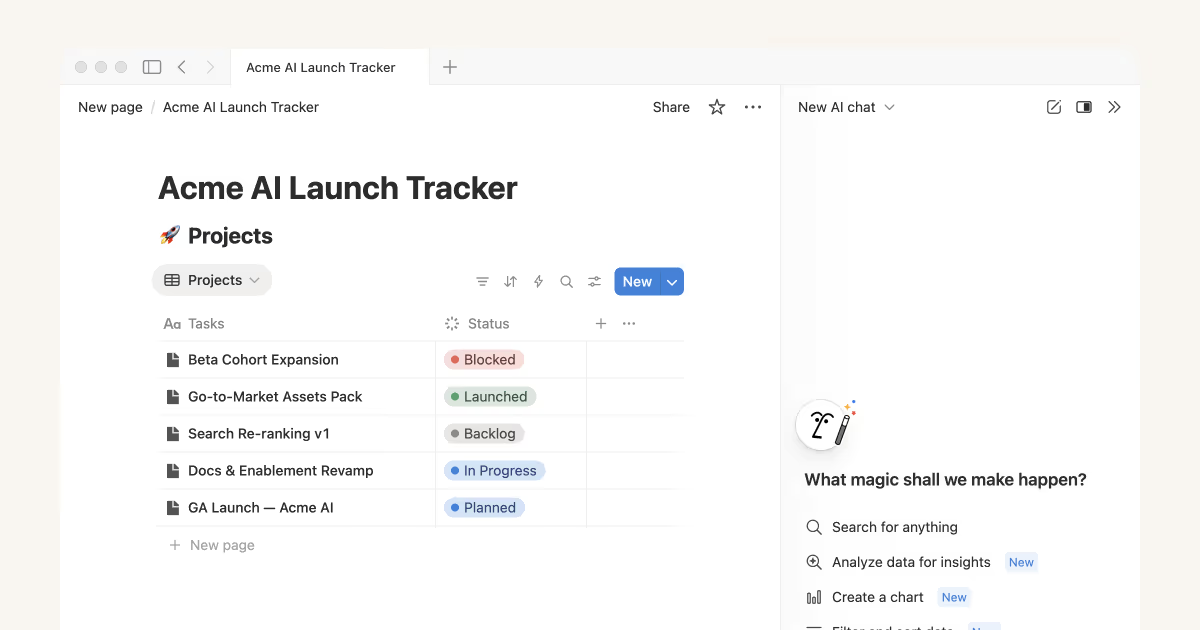
Best for: Teams already using Notion as their wiki, project hub, and internal docs who want AI inside the same workspace.
What it does: Notion AI helps teams write, rewrite, summarize, and query content inside Notion pages and databases. It is designed to turn existing docs into faster answers, drafts, and structured outputs while staying inside the Notion workflow.
Key features:
- In page writing tools - Draft content, rewrite tone, fix grammar, and summarize pages.
- Database assistance - Help generate and refine items like tasks, outlines, tables, and structured notes.
- Workspace Q and A - Ask questions about your Notion content and get answers based on what is in the workspace.
- Permissions aware - Respects existing access controls so users only see what they can already access.
Pros: Extremely convenient if your knowledge already lives in Notion, no extra tool switching, solid everyday writing help.
Cons: Best results depend on having your docs inside Notion; Free and Plus have limited AI access unless you were grandfathered on an older add on.
Pricing: Notion AI is included with Business and Enterprise plans. Prices: Plus $10/seat/month, Business $20/seat/month, Enterprise custom. Free and Plus include a limited AI trial.
Who should use it: Product teams, startups, and knowledge heavy orgs that already run on Notion and want AI for docs, planning, and internal Q and A.
7. Atlassian Intelligence (Jira, Confluence, and more)
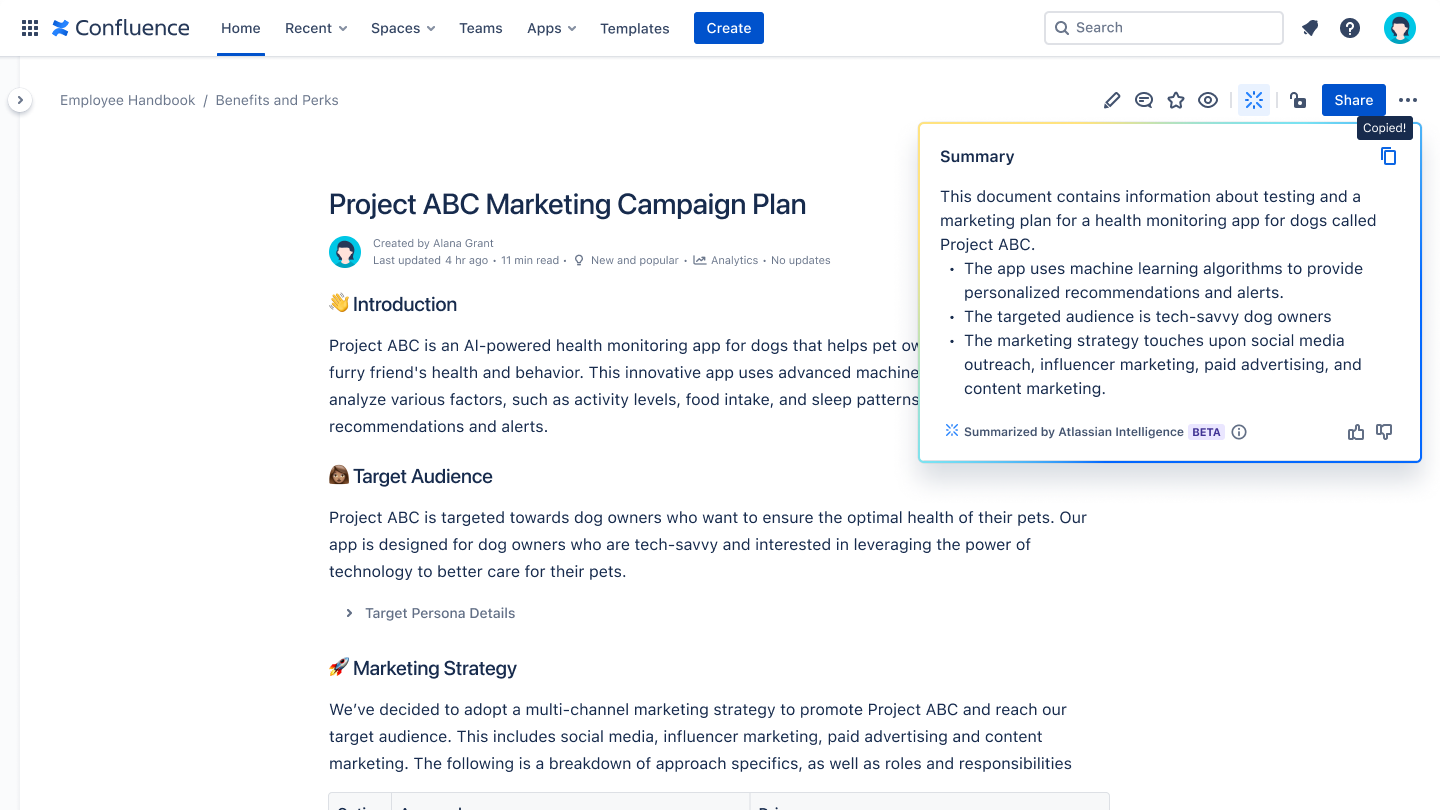
Best for: Teams using Jira and Confluence that want AI for summarization, searching knowledge, and faster ticket and documentation workflows.
What it does: Atlassian’s AI capabilities are delivered through Atlassian Intelligence and Rovo features across Jira, Confluence, and Jira Service Management. It helps summarize issues and pages, answer questions across company knowledge, and support automation and agent style workflows depending on your setup.
Key features:
- Confluence assistance - Draft and summarize pages and help turn notes into structured docs.
- Jira issue support - Summarize tickets and discussions and help with faster issue handling.
- Org knowledge search and chat - Rovo can search across connected content and answer questions based on indexed sources.
- Admin controls and quotas - AI can be enabled or disabled by admins and uses pooled usage quotas by plan.
Pros: Strong fit for Atlassian heavy teams, keeps work inside Jira and Confluence, useful for summarizing long threads and finding answers fast.
Cons: Exact features and availability vary by product and plan; usage is quota based and may evolve as Atlassian enforces limits and introduces overage pricing.
Pricing: Included with paid Atlassian Cloud plans, with pooled monthly quotas per user. Published included quotas: Standard 25 Rovo credits per user, Premium 70, Enterprise 150. Rovo Dev is priced separately at $20 per developer/month.
Who should use it: Software teams, IT support, and ops orgs that run projects and knowledge in Atlassian and want AI for faster tickets, documentation, and cross tool search.
8. Coda AI
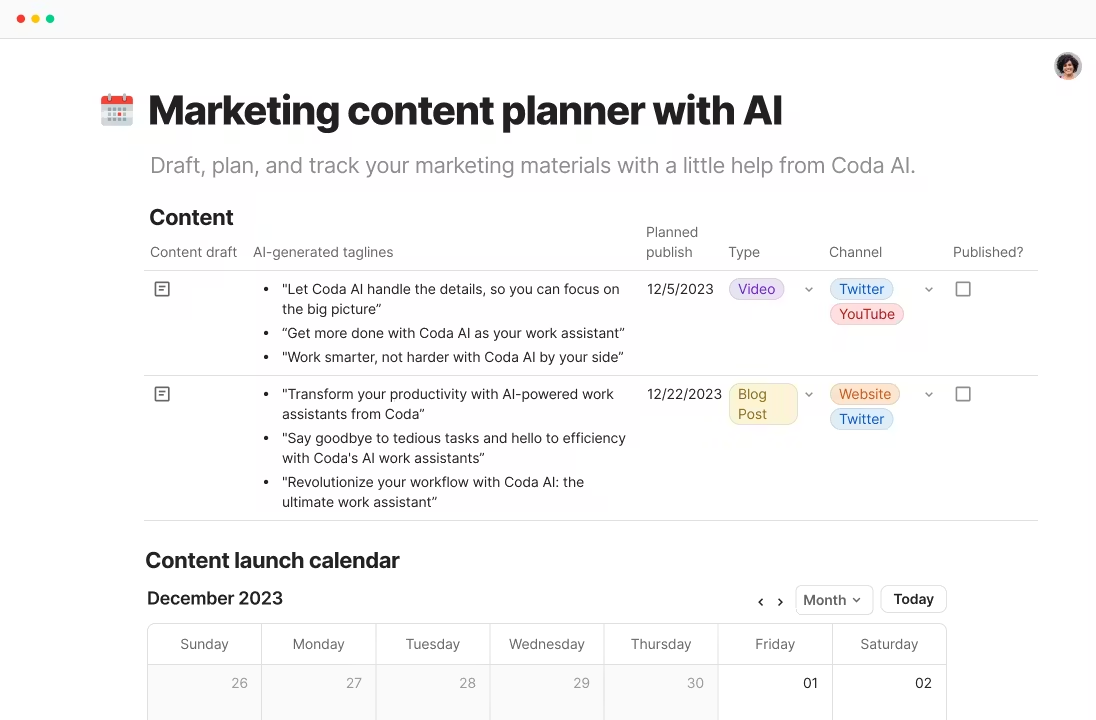
Best for: Teams that run docs, tables, and lightweight app style workflows in Coda and want AI inside the same doc to generate content, analyze data, and assist with automations.
What it does: Coda AI is built into Coda docs and can help write and rewrite text, summarize pages, and work with information stored in tables. Coda pricing is based on Doc Makers, while Editors can collaborate for free.
Key features:
- In doc AI chat - Ask questions about your doc content and tables and get answers in context.
- AI writing and editing - Draft outlines, emails, specs, and polished copy directly in Coda.
- Table aware assistance - Use AI with structured data in Coda tables for summaries and quick analysis.
- AI credits and controls - AI usage is managed with monthly credits that can be capped and monitored by admins.
Pros: Great value if you have many collaborators because only Doc Makers are paid. AI works directly on live doc data and tables.
Cons: AI capability is strongest when your workflows live in Coda; heavy AI usage may require buying extra credits or Unlimited AI.
Pricing: Per Doc Maker. Pro $10/month billed annually, Team $30/month billed annually, Enterprise custom. Coda AI credits included per Doc Maker per month: Pro 2,000, Team 6,000, Enterprise 12,000. Extra AI: +2,000 credits $2/maker/month, +6,000 credits $6/maker/month, Unlimited AI $12/maker/month.
Who should use it: Teams that want flexible docs and tables that behave like lightweight apps, with AI that can draft content and help interpret information inside the same workspace.
9. HubSpot AI (Content Assistant, ChatSpot, Breeze)
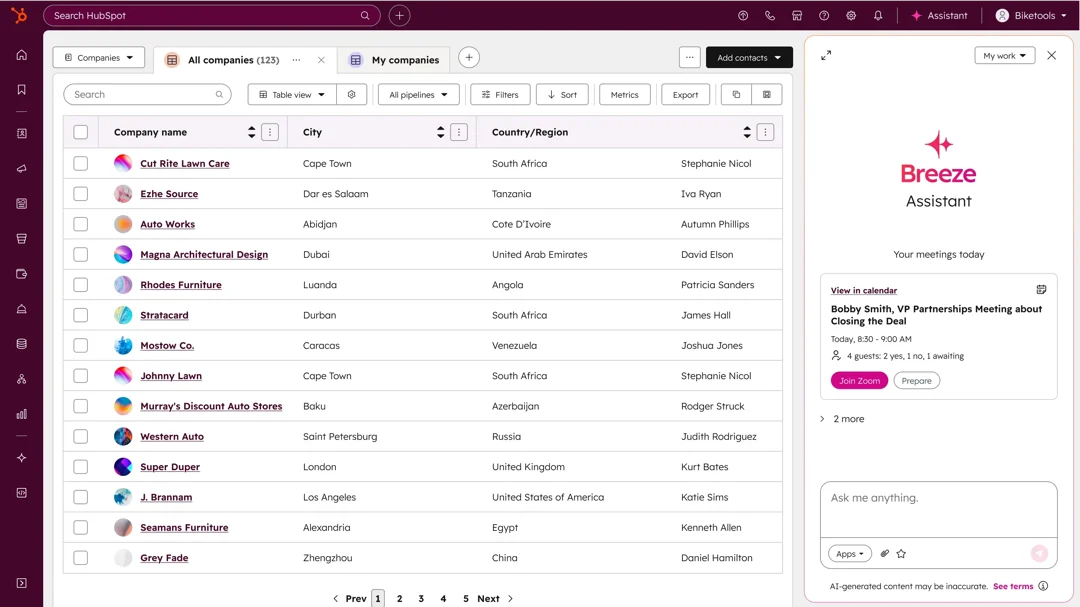
Best for: Marketing, sales, and support teams already using HubSpot who want AI for content, outreach, and customer communication tied to CRM context.
What it does: HubSpot provides AI across its products, including content generation in editors, ChatSpot for CRM related Q and A, and Breeze agent features that can handle certain tasks and customer interactions. Advanced agent usage is tracked with HubSpot Credits.
Key features:
- Content generation in HubSpot - Draft and rewrite marketing emails, landing pages, and blog content in HubSpot tools.
- ChatSpot for CRM Q and A - Ask questions about leads, deals, and activity and get answers based on CRM data.
- Breeze agents - Agent style features for support and prospecting that can take actions and respond in workflows depending on your Hub and tier.
- HubSpot Credits model - Included monthly credits by edition and pay as you go credits for heavier usage.
Pros: Strong when your team already runs on HubSpot since it uses CRM context helping outputs stay relevant. Clear metering for agent usage.
Cons: Some advanced AI and agent features depend on tier and included credits; costs can scale with high volume customer conversations.
Pricing: ChatSpot and basic AI features are included for HubSpot users, while Breeze agent usage uses HubSpot Credits. Included credits are typically Starter 500/month, Professional 3,000/month, Enterprise 5,000/month. Additional credits start at $10 per 1,000 credits which is about $0.01 per credit. Example published rate: Breeze Customer Agent uses 100 credits per conversation.
Who should use it: Teams that already live in HubSpot and want AI help for content production, pipeline work, and support, with usage tied to the CRM.
10. Salesforce Einstein (Agentforce)
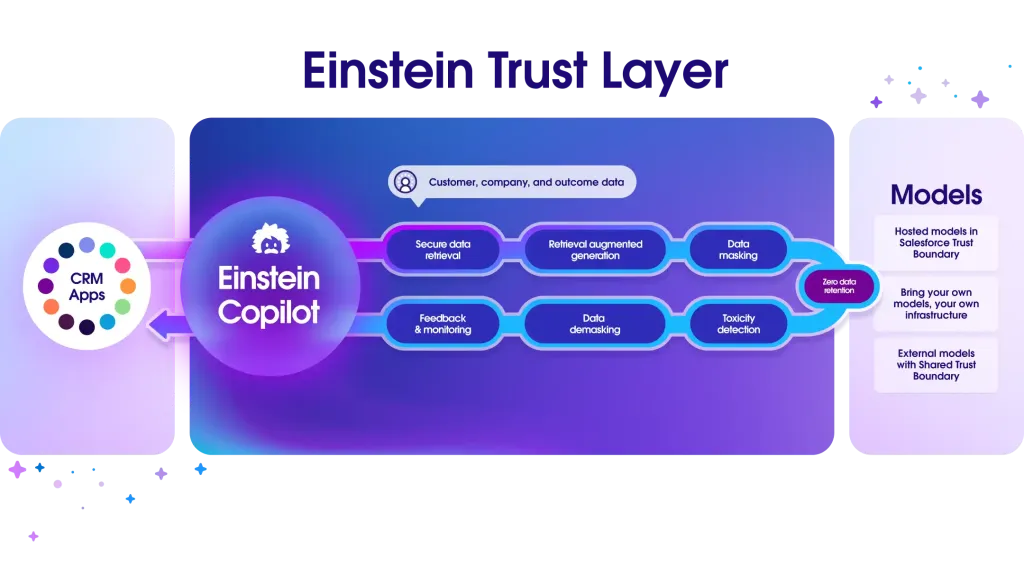
Best for: Larger sales and service orgs on Salesforce that want AI connected to CRM workflows with strong admin controls and the ability to run agent style automations.
What it does: Salesforce’s current AI packaging centers on Agentforce, which brings AI assistance and agent capabilities into Salesforce workflows. It supports AI help for sales and service use cases and can be purchased either as a per user add on or through higher tier bundled editions, with an option for consumption based pricing.
Key features:
- Sales and service assistance - Generate and summarize emails, calls, and case activity and help reps move faster inside Salesforce.
- Agent style automation - Build and run agents that can take actions across Salesforce based on rules and prompts.
- Enterprise governance - Security, permissions, and admin control aligned to Salesforce deployments.
- Flexible pricing options - Per user pricing for predictable licensing plus credit based options for variable usage.
Pros: Best fit if your business already runs on Salesforce. Strong controls and deep workflow integration for real action taking AI.
Cons: Can become expensive quickly at scale; final pricing depends on edition mix, add ons, and consumption needs.
Pricing: Agentforce add on starts at $125/user/month. Agentforce 1 Editions start at $550/user/month. Flex Credits option is $500 per 100,000 credits with published examples that put a 20 credit action at $0.10.
Who should use it: Enterprises that want AI deeply integrated with Salesforce Sales or Service processes, and teams that need governed agent workflows inside the CRM.
11. Apollo.io (AI Powered Sales Prospecting Platform)
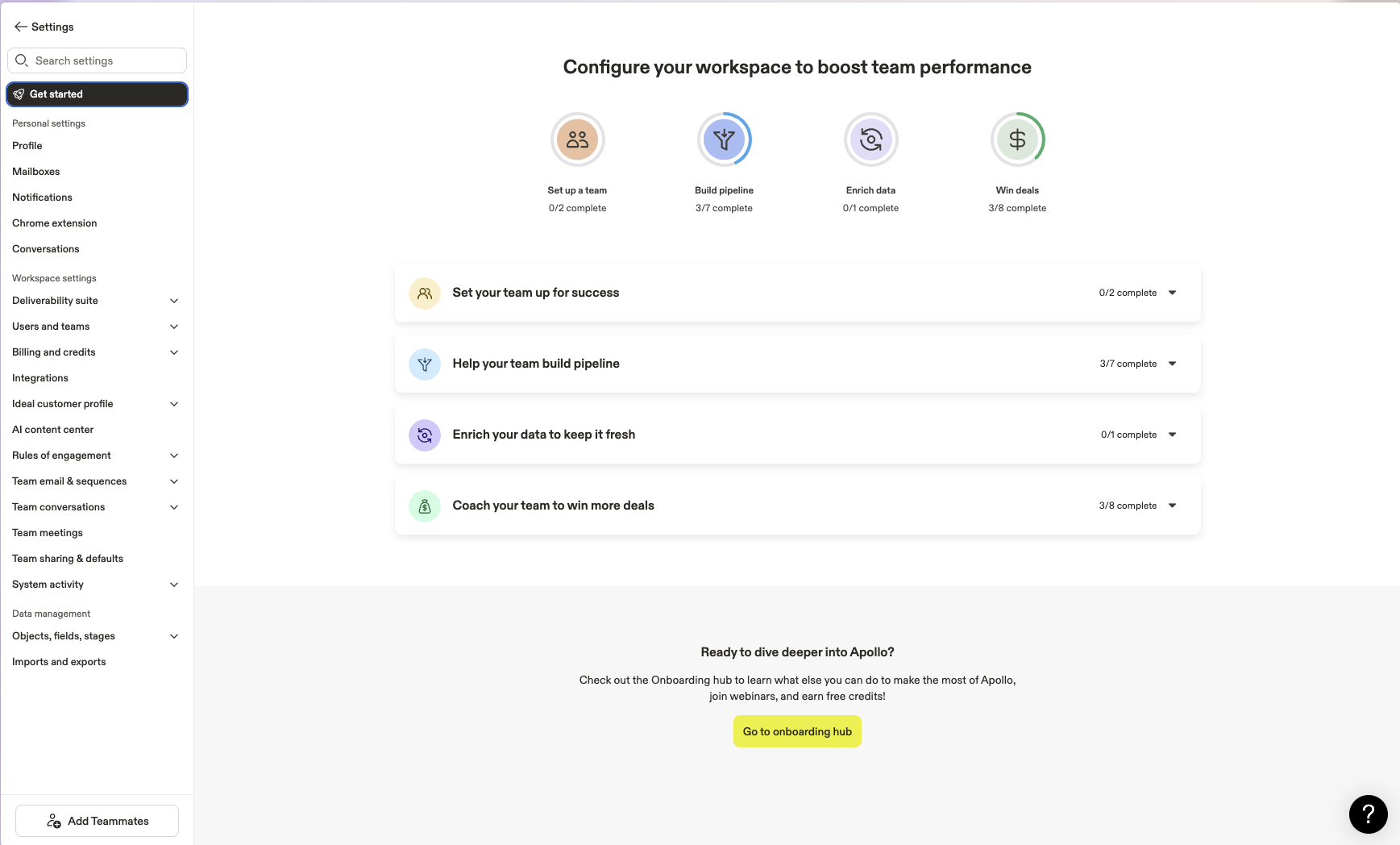
Best for: Sales teams that want a single tool for lead data, enrichment, sequencing, and basic AI help for outbound.
What it does: Apollo combines a B2B contact database with outreach tools like email sequences, basic dialer workflows, and CRM syncing. It also includes AI assistance for writing and personalizing outbound messages and speeding up prospect research.
Key features:
- Lead database and enrichment - Find contacts and companies and enrich records inside Apollo.
- Sequencing and outreach - Build email sequences and manage outreach from one place.
- AI writing help - Draft and refine cold emails and sequence steps faster.
- Admin controls for credits - Usage is governed by credits and admins can set per user limits inside the account.
Pros: Strong all in one option for outbound teams because you get data plus sequencing together. Generally faster setup than stitching multiple tools.Cons: Apollo does not publish a simple public per user credit table. Credit allotments depend on plan, billing, and add ons, so older blog posts often show inconsistent numbers.
Pricing: Apollo has a free plan and paid tiers. Credit rules published by Apollo note that credits are account based and vary by plan and billing. For Unlimited plans, Apollo states non paying accounts are limited to 10,000 credits per account per month, and paying Unlimited accounts receive credits equal to the lesser of ($ paid divided by $0.025) or 1,000,000 credits per account per year.
Who should use it: SDR teams and founders doing outbound who want one platform for prospect data plus sequences, and can manage usage through a credit system.
12. Intercom Fin (AI Customer Support Agent)
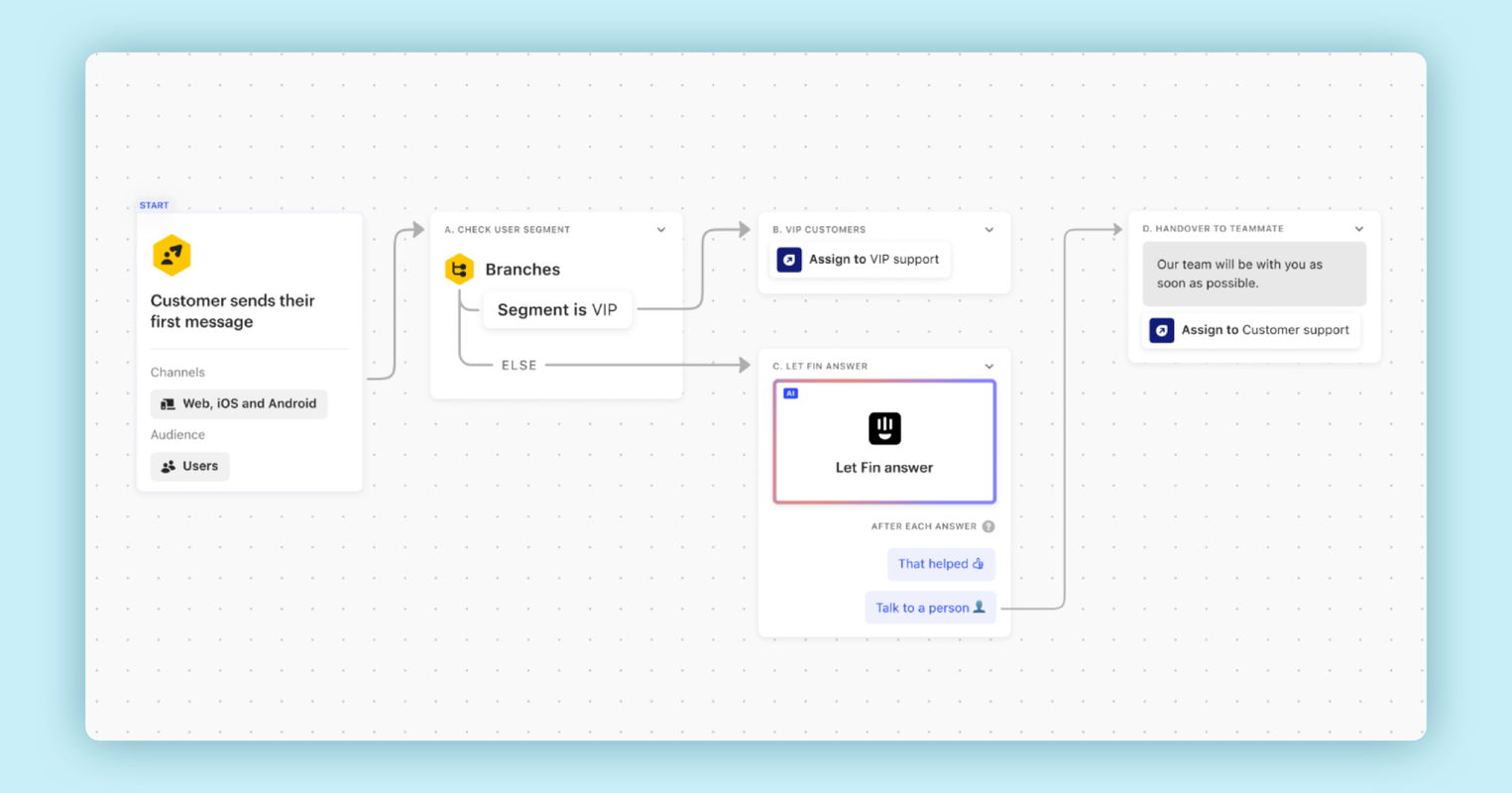
Best for: SaaS and ecommerce teams using Intercom who want an AI agent to resolve repetitive support questions using their help center content.
What it does: Fin is Intercom’s AI agent that answers customer questions in chat using your connected knowledge sources. It aims to resolve common issues automatically and hand off to humans when needed, while letting teams see what was answered and improve content over time.
Key features:
- Answers grounded in your content - Uses your help center and connected sources to respond in chat.
- Resolution focused workflow - Designed to fully resolve common Tier 1 issues before handoff.
- Handoff with context - When Fin cannot resolve, the conversation can be passed to human support with context.
- Reporting and quality controls - Visibility into what Fin resolves and where it fails so teams can improve.
Pros: Very strong fit if you already run Intercom and have a solid help center. Pricing is easy to model because it is per resolution.Cons: Total cost depends on resolution volume; if your help content is thin or outdated, results degrade and handoffs increase.
Pricing: Fin is priced at $0.99 per resolution. Intercom seats are separate. Intercom plan list prices (annual billing) start at $29 per seat per month for Essential, $85 for Advanced, and $132 for Expert.
Who should use it: Support teams with high volume repetitive questions that can be answered from a knowledge base, and that want a clear per resolution pricing model.
13. Zendesk Advanced AI
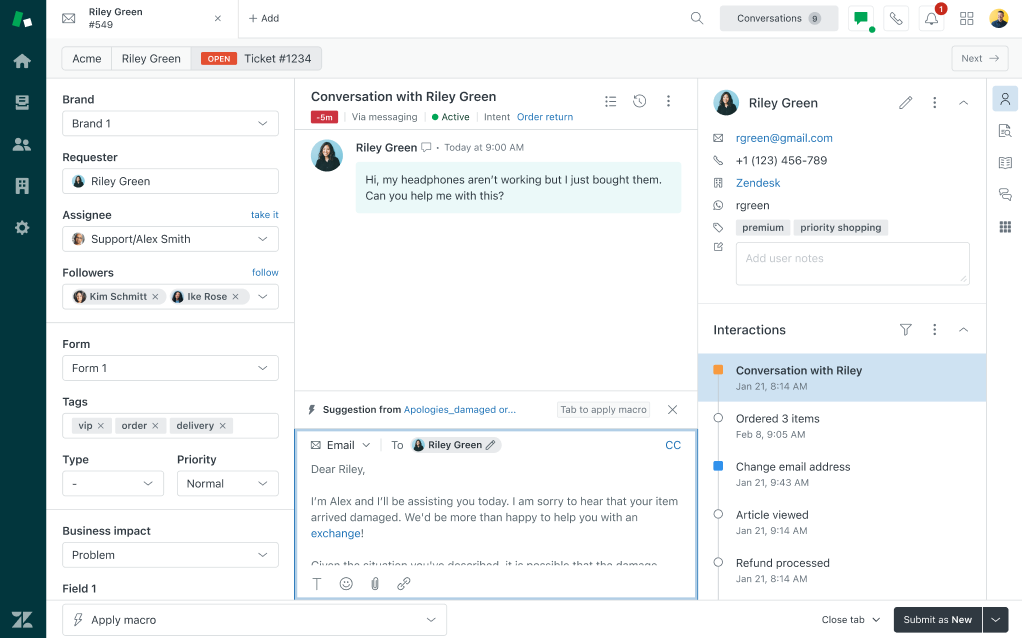
Best for: Support teams on Zendesk that want to deflect tickets and chats with an AI agent that uses their help center content.
What it does: Zendesk AI Agents can answer customer questions in chat and messaging channels using your knowledge base. Zendesk also adds AI assistance for human agents such as suggested replies and summarization, with pricing based on automated resolutions.
Key features:
- AI Agent for automated resolutions - AI answers and resolves customer questions using your connected help content.
- Agent assist workflows - Summaries, reply suggestions, and help drafting responses for human agents.
- Knowledge powered responses - Uses your help center articles to ground answers and reduce hallucinations.
- Usage reporting - Visibility into automated resolutions and how AI impacts ticket volume.
Pros: Strong fit if you already use Zendesk and have a solid help center. Clear automation metric with automated resolutions.Cons: Total cost depends on resolution volume. Some advanced AI capabilities are sold as add ons and pricing can require a sales quote.
Pricing: Automated resolutions are included per agent per month, then you pay for additional automated resolutions. Included allocations: Team 5 per agent per month, Professional 10, Enterprise 15. Additional automated resolutions are commonly priced around $1.50 each for committed volume and around $2.00 each pay as you go. Zendesk Copilot is listed as an add on at $50 per agent per month.
Who should use it: Teams with high ticket volume and repetitive questions that can be answered from a knowledge base, especially if they want deflection without leaving Zendesk.
14. Zapier AI (Integrations and Workflow Automation)
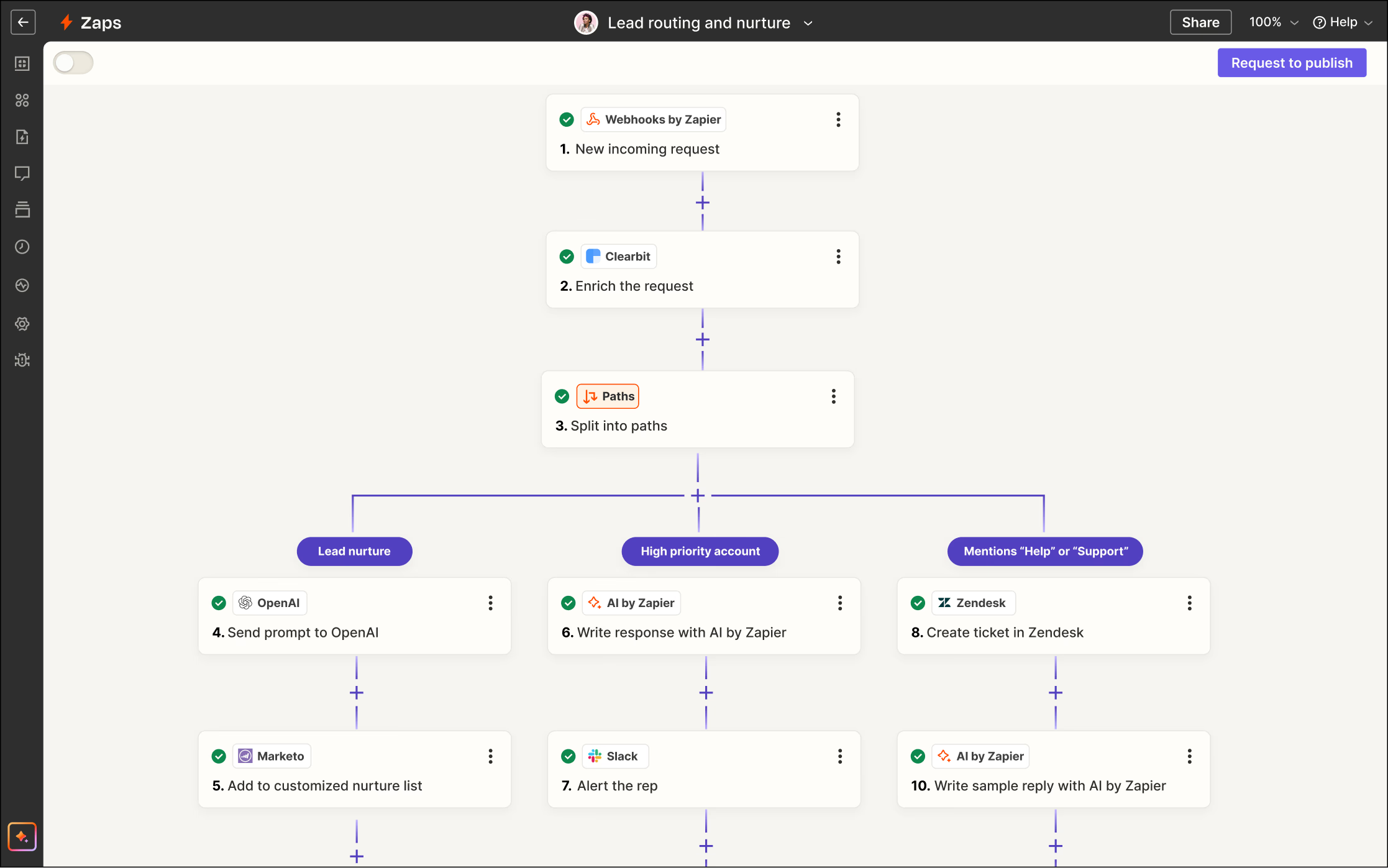
Best for: Teams that want to automate workflows across many tools without code, and optionally use AI agents to plan and run multi step tasks.
What it does: Zapier connects thousands of apps and lets you build automations called Zaps. Zapier AI features help create automations faster using natural language prompts, and Zapier Agents can take goal based actions across connected apps.
Key features:
- Natural language Zap builder - Describe the workflow and Zapier builds the automation steps.
- AI steps inside workflows - Add AI actions such as summarizing, extracting, classifying, or rewriting content.
- Zapier Agents - Agents that can browse, use data sources, and take actions across apps.
- App ecosystem - Works across thousands of integrations for cross team processes.
Pros: Huge integration ecosystem and fast time to value. Great for ops and GTM teams that need workflows across many systems.Cons: Pricing scales with task volume, so costs can rise fast for heavy automation. Complex workflows still need testing and ongoing maintenance.
Pricing: Zapier is task based. Free includes 100 tasks per month. Professional starts at $19.99 per month billed annually. Team starts at $69 per month billed annually. Enterprise is custom priced. Zapier Agents has a separate plan: Agents Free includes 400 activities per month, Agents Pro is $33.33 per month billed annually and includes 1,500 activities per month.
Who should use it: Teams that move data between apps every day and want to automate lead routing, onboarding, reporting, and internal ops without engineering time.
15. Canva Magic Studio
Best for: Marketing teams, content creators, and businesses that produce lots of graphics or visual content—who want to leverage AI to speed up design tasks, generate creative assets at scale, and maintain brand consistency without always relying on professional designers.
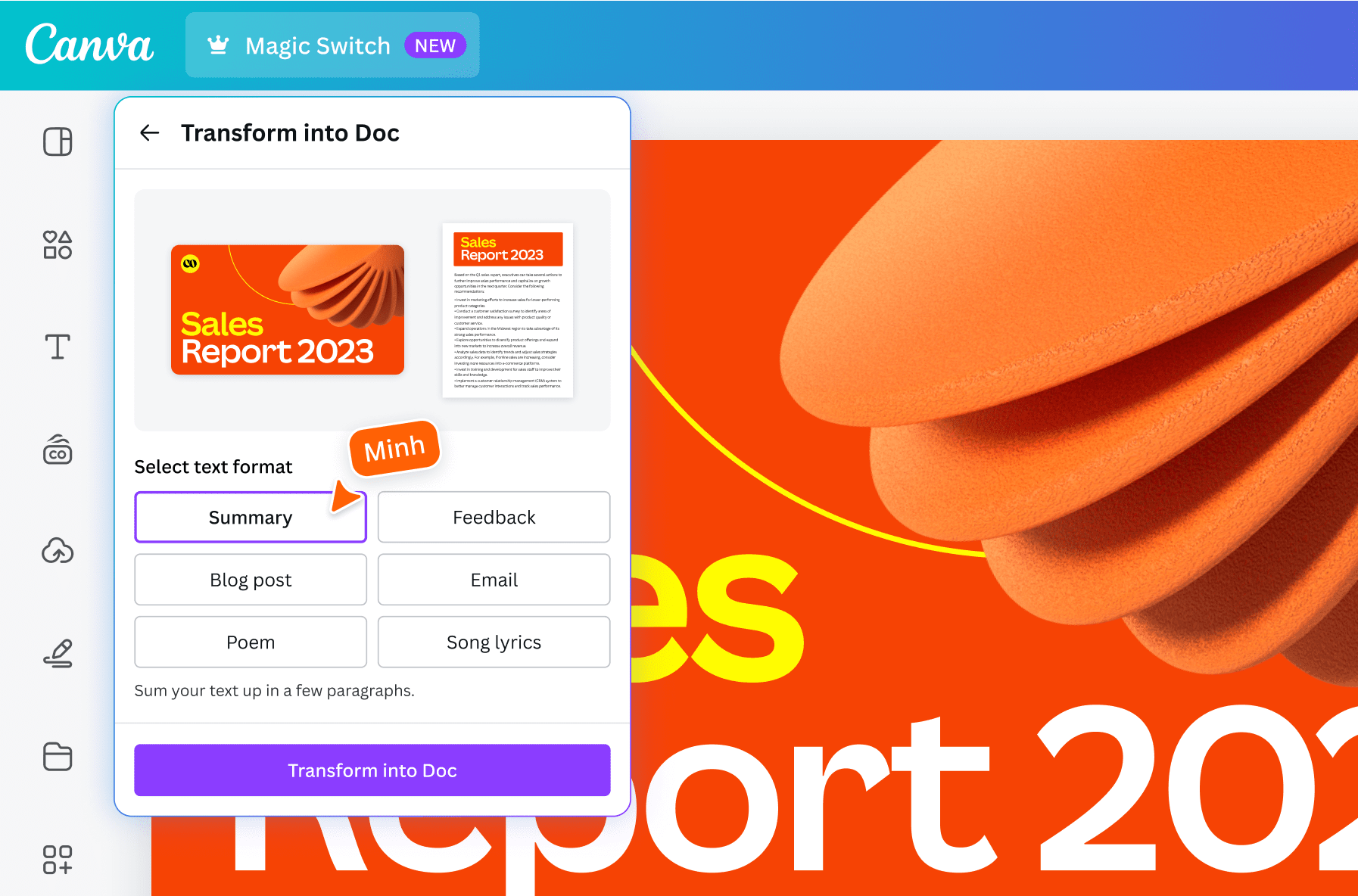
What it does: Canva's Magic Studio is a collection of AI tools embedded in Canva's design platform. It allows you to do things like: generate images from text (AI image generation), automatically remove or replace backgrounds, magically resize designs to different formats, generate text content with Magic Write, and even create simple animations or videos with AI. Recently, Canva introduced "Brand Voice" AI that takes your brand guidelines and ensures any AI-generated content adheres to your tone and style. In 2025, they launched Canva Business plan which includes advanced AI like their "Leonardo AI Phoenix" model for higher quality image generation and Canva Code for generating simple custom code widgets. Magic Studio basically brings together all these AI features across Canva into one suite—ensuring teams can ideate and produce a whole campaign (text + visuals) with minimal manual effort.
Key features:
- Magic Design & Magic Edit – Generate or transform visuals. Magic Design: provide images/text and get design variations for posters or Instagram posts. Magic Edit: select an object in an image and replace it via AI (like replace that coffee cup with a smoothie by describing it).
- Magic Write – Canva's AI copywriter which generates text for social posts, blog outlines, ad copy, integrated inside any design. Supports multiple languages. Helpful when you need content to accompany visuals.
- Brand Guardrails & Styling – Set your brand colors, fonts, and voice, and the AI produces outputs that align. Magic Studio favors your brand palette in colorizing an image or keeps logo placement consistent. "Brand Voice" ensures Magic Write produces copy matching your tone.
- Bulk create & scale adaptations – Magic Studio takes one piece of content and instantly adapts it to many formats. Magic Resize (with AI cropping) can make an Instagram post into a story, Facebook banner, email header in one click. Generate variations—like create 50 personalized versions of an image each with different name or product.
- Dream Studio (Advanced AI) – Continually adding cutting-edge features. Canva's "Dream Booth" equivalent where you can train the AI on your own product images to generate new ones. Also Canva Code allows generating simple web pages or interactive content with AI—describe a widget and it helps build it.
Pros: Extremely user-friendly. Empowers non-designers to create decent looking content quickly. Massively speeds up production for real designers on tedious tasks. Brand consistency features address typical corporate wariness about AI—you can trust output will use approved colors/fonts and images. Saving cost on stock assets—with AI image gen, you might need fewer stock photos. Canva's partnership with companies like Runway means Magic Studio gets new capabilities constantly, all under one subscription. Collaboration: teams can share these Magic tools. Value-wise, Canva Business plan might be around $30/user which is a fraction of what separate Adobe licenses or stock photo subscriptions would cost—and you get unlimited AI use (within fair limits) included.
Cons: AI outputs still sometimes need human polish—Magic Write can produce generic text that a marketer should humanize, and AI images might have quirks. Large enterprises might find Canva's features not as specialized as Adobe's for high-end design work. Data/privacy—if you're uploading proprietary product images to use in AI generation, some companies might worry. Limitation on complexity: If you have a very specific scene in mind, text-to-image might not nail it exactly; you may need to iterate. Brand voice AI while promising may need feeding with enough examples to be effective. Power users who do use Adobe suite might find Canva's AI neat but not robust enough for their main workflow.
Pricing: Included in Canva's paid plans. Canva's freemium offers some Magic tools in limited form, but the real deal is in Canva Pro ($12.99/mo single user) and Canva for Teams (Business) ($30 per user monthly depending on seat count). The Business plan launched in late 2025 folded in all AI features at no extra cost. They integrated Leonardo's model presumably rather than charging separate. So for a marketing team of 5 people, $150/mo gets unlimited Magic Studio uses—generate thousands of images, pieces of copy, etc. Very competitive. They do have some usage limits in fair use policy (maybe 500 image gens per day), but typical companies won't hit that.
Who should use it: Social media teams, content marketers, small businesses managing their own marketing, internal comms teams, even educators or NGOs. Anyone who needs to churn out lots of visual content fast. Startups can look professional without hiring a design agency. Global teams because it has multi-language support for text generation and translation—a company can quickly make localized content. Agencies use Canva for quick client mockups; Magic Studio helps them generate variations to present. Those who might not benefit as much: companies with a strict no-AI policy for content or those who absolutely require pixel-perfect original designs for brand reasons might still do everything manually or via agencies.
| Platform | Best For | Key AI Features | Integrations | Admin & Analytics | Security/Compliance | Starting Price |
|---|---|---|---|---|---|---|
| Menturi | Unified multi-model chat for teams, with a shared knowledge base in one workspace. |
|
Google Drive, Notion, Confluence, Slack (SSO and invites). |
|
Encrypted in transit and at rest; no training on your data; SOC 2 Type II in progress. | $9.99/seat (Standard, 3-seat min) |
| OpenAI ChatGPT (Business & Enterprise) | Teams wanting ChatGPT with business controls and strong security at scale. |
|
Connectors and integrations vary by plan and admin settings. | Admin console (SSO, domain verification, user management) plus usage insights. | SOC 2; encryption at rest and in transit; business data not used for training by default. | $25/seat/mo (annual, Business) |
| Microsoft 365 Copilot | Microsoft 365 organizations wanting AI inside Word, Excel, Outlook, and Teams. |
|
Microsoft 365 apps (Word, Excel, PowerPoint, Outlook, Teams) plus Graph context. | M365 admin controls, tenant deployment, usage reporting. | Respects Microsoft 365 permissions; data stays within tenant boundaries. | $18/user/mo (business add-on) or $30/user/mo (enterprise add-on) |
| Google Workspace with Gemini | Google Workspace teams (Gmail, Docs, Sheets, Slides, Meet) wanting built-in AI. |
|
Native to Workspace apps; some third-party via Marketplace add-ons. | Admin console controls; usage visibility depends on edition and reporting setup. | Workspace data protections and enterprise privacy commitments (plan dependent). | $14/user/mo (Business Standard, annual) or $22/user/mo (Business Plus, annual) |
| Anthropic Claude (Team/Enterprise) | Teams needing large-context AI for research, writing, and coding. |
|
Slack app, APIs, partner integrations. | Team billing and workspace management; Enterprise admin controls and audit options. | No training on customer data by default; encryption in transit and at rest (plan dependent). | $25/seat/mo (Team, annual, 5-seat min) |
| Notion AI | Teams using Notion for docs, notes, and wiki style Q&A. |
|
Native to Notion content. | Admin on and off; lightweight usage visibility depending on plan. | Respects Notion permissions; processed under vendor terms (Notion and model providers). | Included (Business and Enterprise) |
| Atlassian Intelligence (Rovo) | Jira and Confluence teams wanting AI for tickets, docs, and knowledge discovery. |
|
Native across Atlassian Cloud products; Slack and Teams integrations. | Org admin enablement; feature toggles; usage is quota based with pooled credits. | Atlassian cloud controls; respects permissions; SOC 2 and GDPR posture. | Included (paid Atlassian Cloud plans, quota based) |
| Coda AI | Coda teams wanting AI in docs and tables plus workflow automation. |
|
Coda Packs (for example Salesforce, Gmail, Jira) plus synced tables. | Workspace permissions apply; admin controls for AI credits and usage caps. | SOC 2 posture varies by plan; content processed under Coda terms. | $10/doc maker/mo (Pro, annual) |
| HubSpot AI (ChatSpot, Content Assistant, Breeze) | Sales, marketing, and support teams on HubSpot who want AI tied to CRM context. |
|
Native in HubSpot; connects to common tools via HubSpot integrations. | Admin enable and disable; AI agent usage tracked via HubSpot Credits. | Respects access permissions; HubSpot security and compliance baseline. | Included (credits included by plan; overages available) |
| Salesforce (Agentforce) | Enterprises on Salesforce wanting AI across CRM workflows with agent capabilities. |
|
Deep Salesforce integration; Slack integration; extensible via MuleSoft and platform tools. | Extensive admin controls, audit trails, trust and guardrail tooling. | Enterprise grade compliance and data controls (edition dependent). | $125/user/mo (Agentforce add-on, starting) |
| Apollo.io | Outbound sales teams needing lead data plus AI assisted sequencing. |
|
Salesforce and HubSpot; email integrations; Chrome extension. | Sequences and engagement analytics; admin controls for team settings and credits. | Compliance posture varies by region; evaluate carefully for privacy and legal needs. | $49/user/mo (Basic, annual, starting) |
| Intercom Fin | Customer support teams wanting AI answers grounded in help center content. |
|
Intercom Messenger plus Intercom Articles and Intercom channels. | Resolution and deflection reporting plus CSAT tracking for AI answers. | SOC 2 posture; controls to scope knowledge and reduce risky answers. | $0.99/resolution (+ Intercom plan) |
| Zendesk AI (AI Agents and Copilot) | Scaled support orgs wanting ticket deflection plus agent productivity. |
|
Native in Zendesk Suite across Support and Guide plus channels. | Resolution analytics, knowledge tuning, AI vs human performance reporting. | Enterprise security options; EU residency options (plan dependent). | Included (automated resolutions included, then usage priced per resolution) |
| Zapier AI | Ops and non-dev teams automating workflows across many apps with AI steps. |
|
5,000+ app integrations (Slack, Gmail, Salesforce, and more). | Team permissions and task usage metrics; governance via folders and roles. | SOC 2; can use vendor APIs and keys depending on setup. | $19.99/mo (Professional, annual, starting) |
| Canva Magic Studio | Marketing and design teams creating on-brand visuals and copy faster. |
|
Canva ecosystem (brand kit, asset library, templates). | Brand governance tools; team collaboration controls; admin oversight (plan dependent). | Enterprise controls vary by plan; review AI and data settings for brand governance. | $12.99/mo (Pro, starting) or $20/person/mo (Canva Business) |
Conclusion: Why Menturi is the best general purpose AI platform for teams
Most tools on this list are excellent in one specific lane. The reason Menturi ranks first overall is simple: it fits how AI actually gets adopted at work. Teams do not just need a chatbot. They need a shared place to use AI day to day, without turning it into a pile of separate subscriptions, logins, and policies.
Menturi stands out because it combines the pieces that usually end up scattered across different products:
- Choice of models in one place, so people can use the right tool for the task
- Central admin controls, so access and usage do not become a guessing game
- Cost visibility and limits, so spending stays predictable as adoption grows
- Team collaboration, so good prompts and answers do not stay stuck with one person
- Connections to your existing docs, so responses reflect how your company actually works
If you want one solution that works across departments, scales cleanly, and stays easy to manage, Menturi is the most complete option in this guide.
Frequently Asked Questions
Does Menturi work for teams, not just individuals?
Yes. Menturi is designed for teams, with shared chats, reusable prompts, and workspace level admin controls so AI work does not live in one person’s browser.
How does Menturi help teams get more consistent answers?
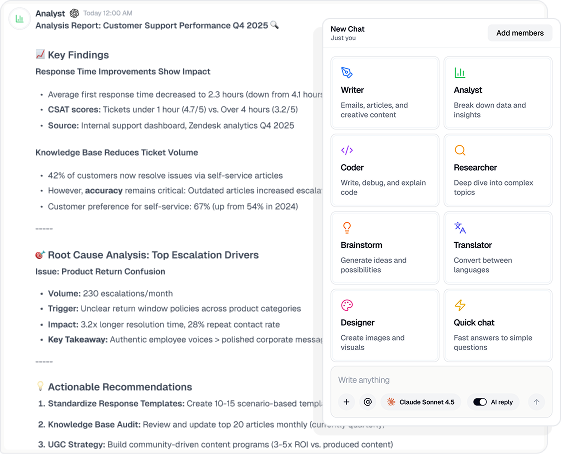
Menturi keeps things consistent by making AI work shareable and repeatable. Teams can build on shared conversations, use focused modes such as Writer, Analyst, and Researcher, and optionally connect internal docs so answers come from the same sources instead of everyone starting from scratch.
Will Menturi work with our existing documentation?
Yes. Menturi can connect to sources like Google Drive, Notion, and Confluence, so people can ask questions and get answers based on internal documentation, depending on what you choose to connect and share.
Can we control which AI models people use?
Yes. Menturi includes admin settings to manage model access and set limits, so teams can use more capable models when it matters without creating unexpected spend.
How does Menturi pricing work in practice?
Menturi is a team subscription with shared monthly credits across the workspace, with the option to add more if needed. For many companies, that is simpler than managing separate subscriptions for different models across different teams.
Is Menturi hard to roll out across a company?
Usually not. Most teams start with a small pilot, define a few usage guidelines, and then expand to other departments once they see what types of work benefit most.
Can we keep sensitive information out of Menturi?
Yes. You can set clear usage rules, control access at the workspace level, and decide which internal sources are connected. That helps teams avoid accidentally sharing data they should not.
Does Menturi replace ChatGPT, Claude, or Gemini?
It can. Menturi can act as a single place to access multiple models, so teams do not need separate accounts and separate ways of working for each one.
What kinds of teams get the most value from Menturi?
Teams that share work and repeat questions benefit most, for example support, sales, marketing, operations, and product. Anywhere people need fast answers, reusable drafts, and a shared way of working.
What is the simplest way to try Menturi?
Start with 5 to 20 users, pick two or three common use cases, and run it for a couple of weeks. You will quickly see whether it reduces repeated questions and speeds up everyday tasks.
Start a workspace, invite a teammate, and test Menturi on a real task (writing, analysis, or Deep Research) in minutes.