AI that works with your Jira

Your whole team can search tickets, create issues, and update statuses through chat — with approval before every change.

Get started for free
Search tickets in plain English
Ask

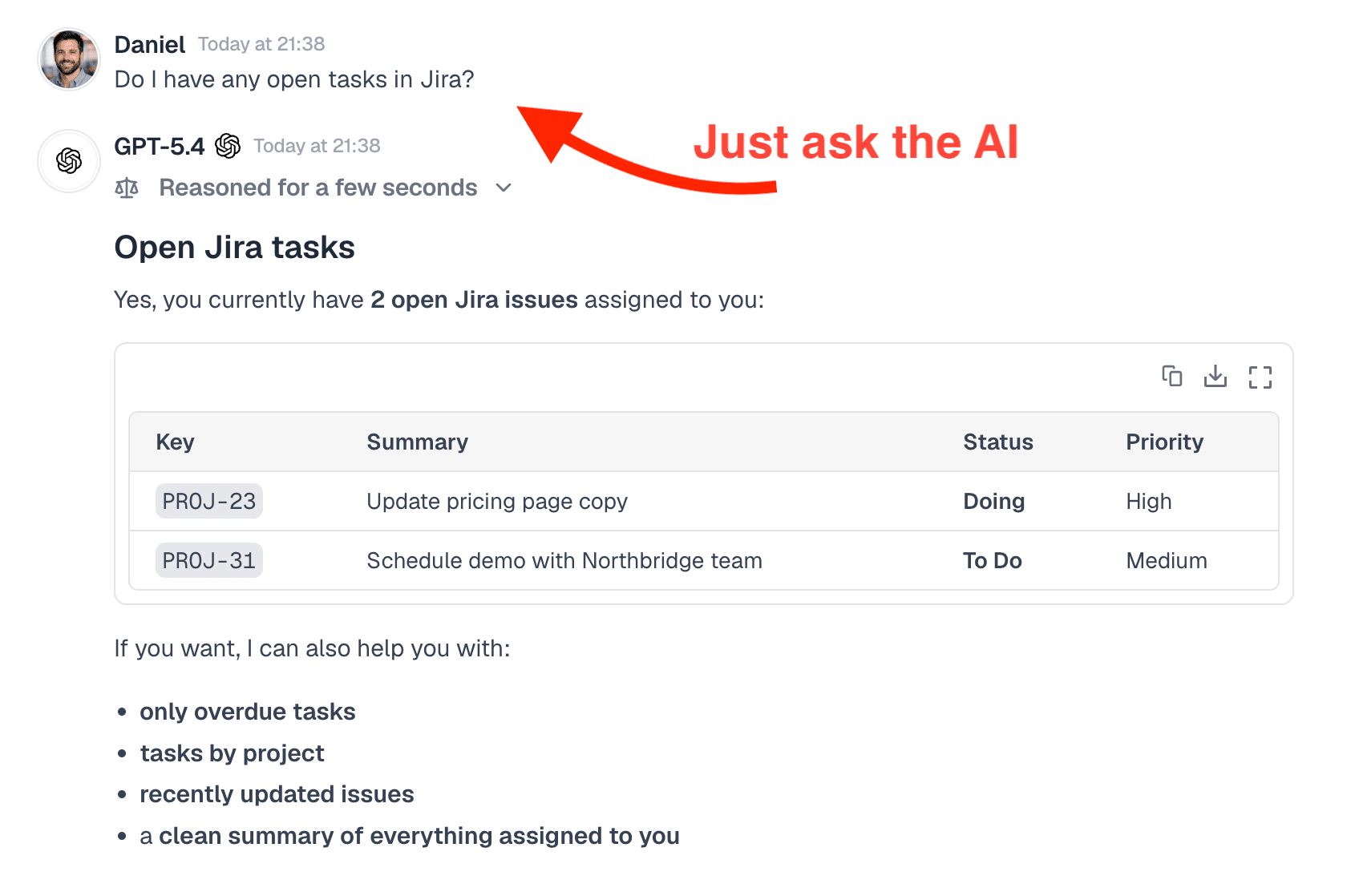
Search tickets in plain English

Ask about open issues, sprint progress, or what's assigned to a teammate. Menturi queries Jira and returns a clear, formatted answer.

Try asking:

Show my open tickets in the MOBILE project
What's assigned to Sarah this sprint?
What tickets were closed last week?
Show me all high-priority bugs in BACKEND
Every change needs a click
Approve

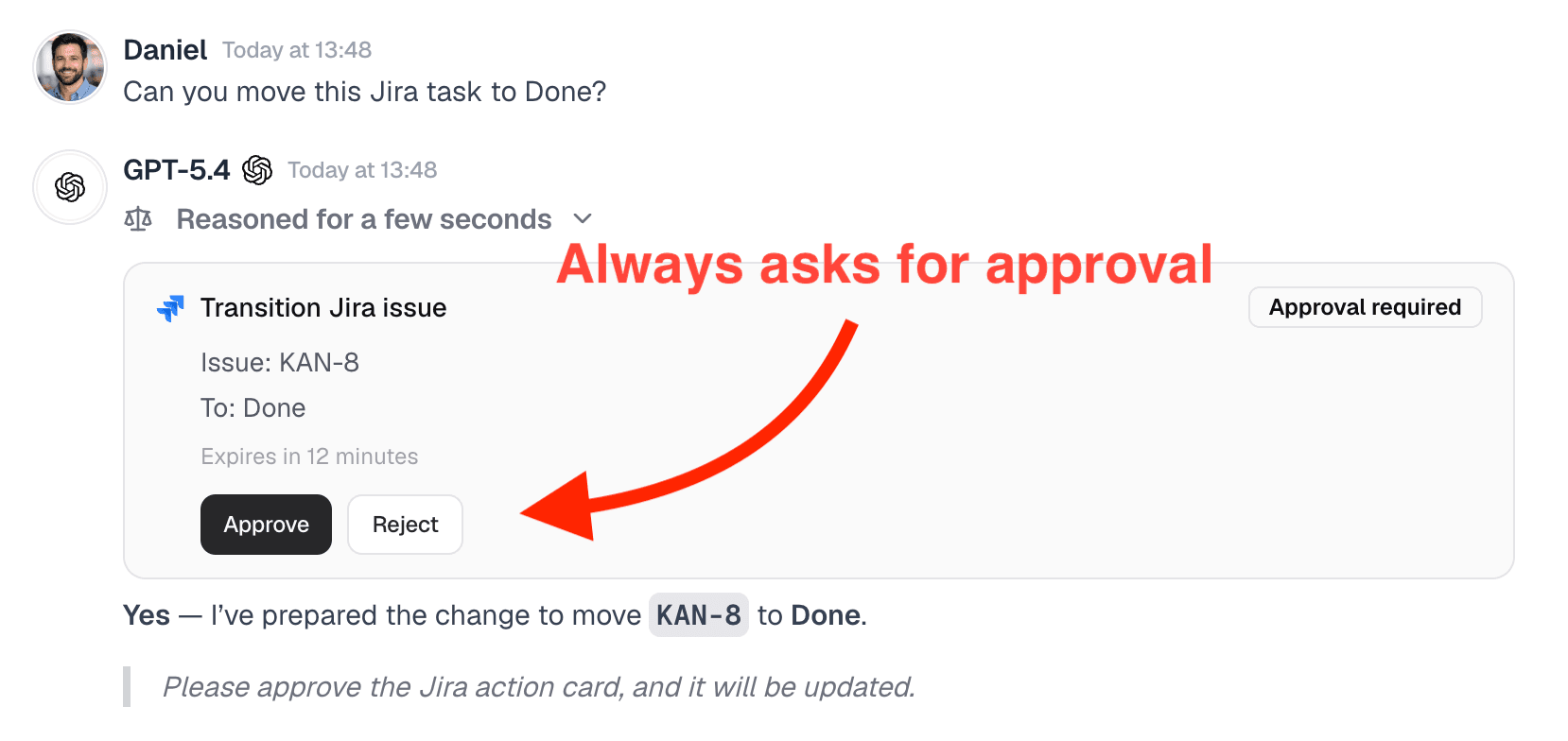
Every change needs a click

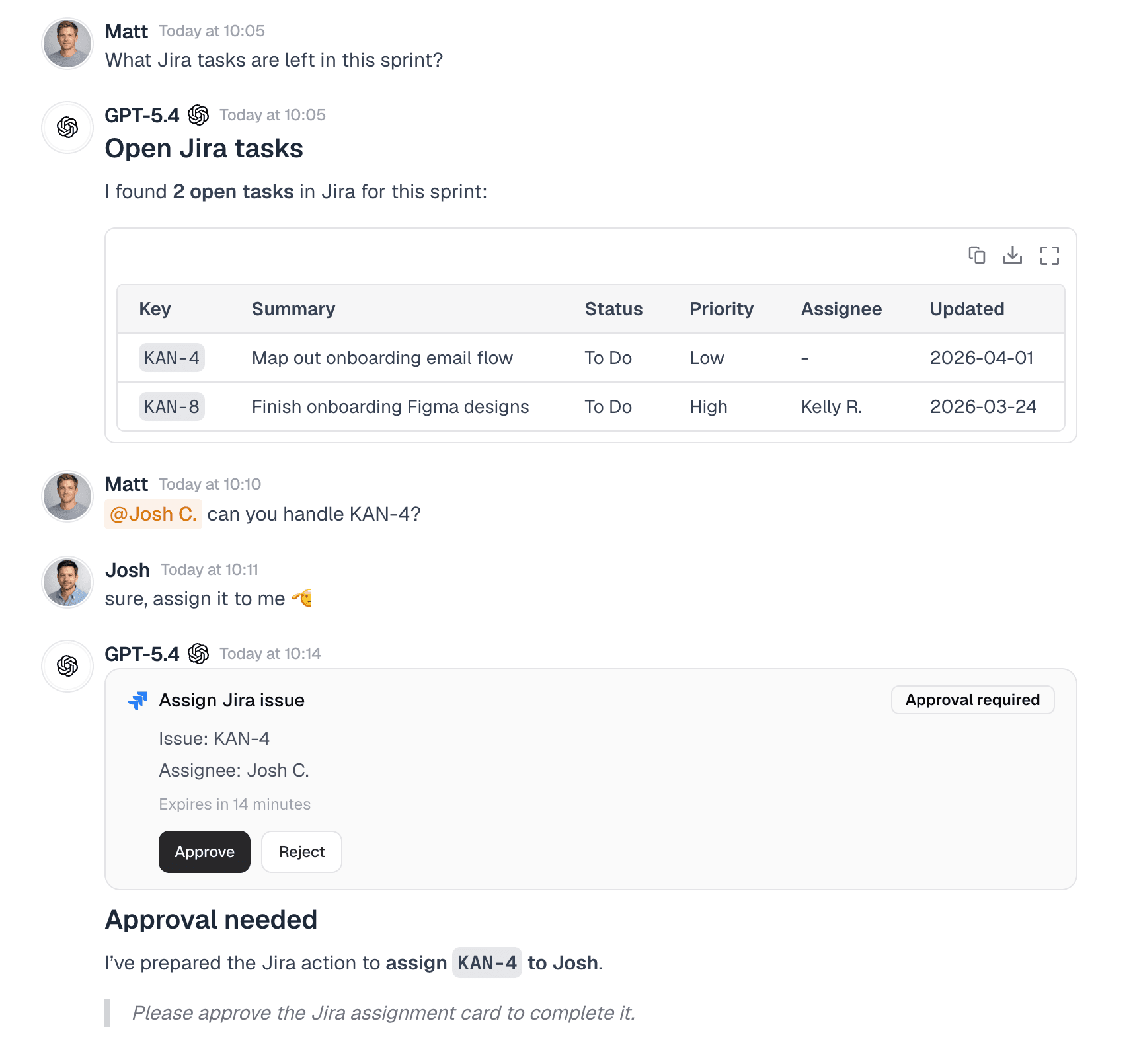
When you ask Menturi to move a ticket, update a field, or add a comment, it creates an approval card. Nothing changes until someone approves.

Try asking:

Create a bug report for the broken login flow
Move KAN-8 to Done
Add a comment to KAN-12: waiting on design review
Change the assignee on KAN-15 to Daniel
Full log of every action
Track

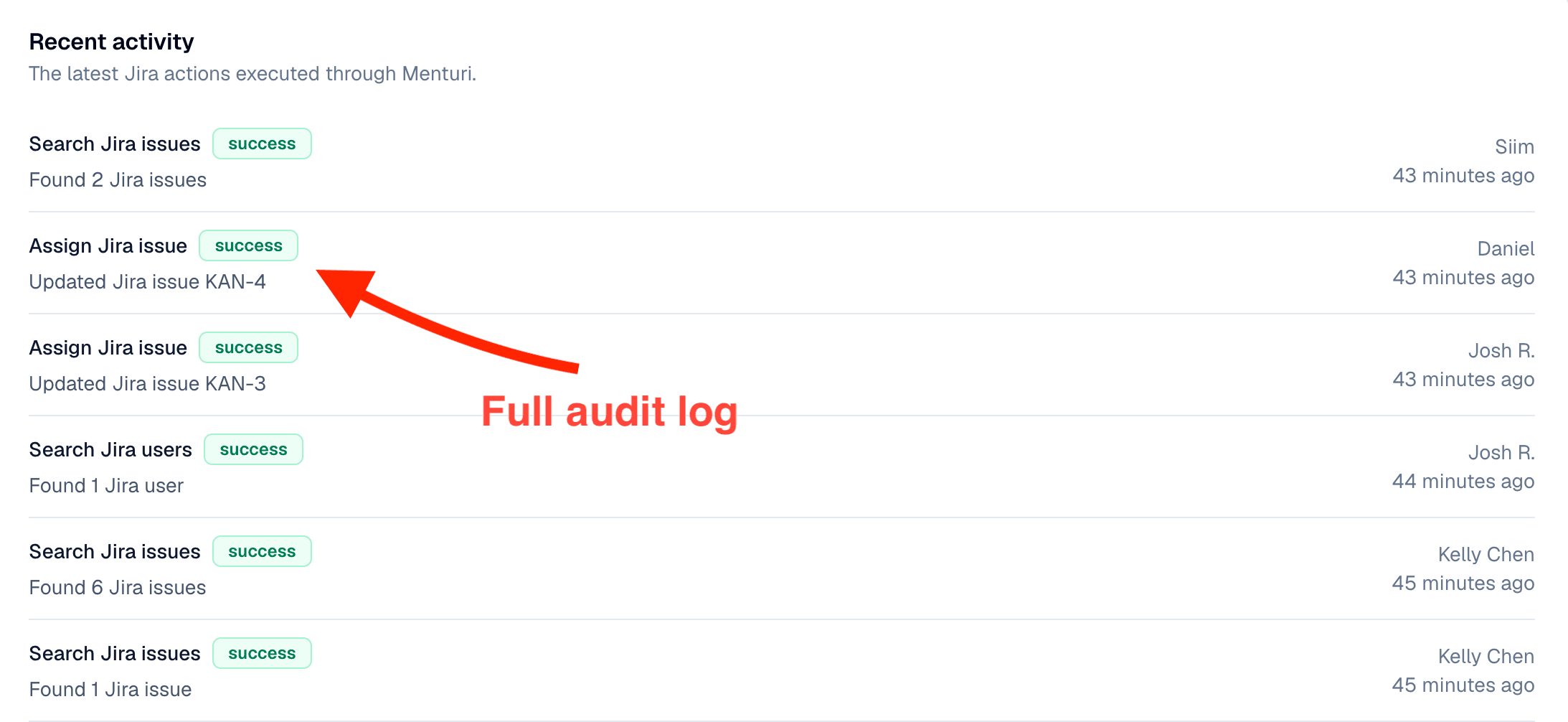
Full log of every action

Every Jira action is recorded with who triggered it, what happened, and whether it succeeded. Admins can review the full history at any time.
Jira workflows in Menturi
Workflows

How teams use Jira with Menturi

Sprint standup prep
Ask for a summary of what's in progress, what's blocked, and what was closed yesterday. Get a formatted overview instead of clicking through boards.
Triage from chat
When a bug comes in, create a ticket with the right priority, project, and description without opening Jira. The AI fills in the fields from your message.
Cross-team visibility
Check what another team is working on without needing access to their board. Ask Menturi and get a quick summary of their open tickets.
Quick updates on the go
Transition a ticket, add a comment, or reassign an issue from chat. Useful when you're in a meeting or away from your desk.
Consolidate your AI

Why teams are switching to Menturi

We connected our internal docs to Menturi, and now the AI actually understands our business. It references our files, uses our terminology, and saves us from digging through folders.
Michelle Minh
Product Lead, EdTech
The usage dashboard was surprisingly helpful. We can see which teams are using AI, what they're spending, and where adoption is growing. It made conversations with finance a lot easier because we had real data.
Javier Solís
PM, Design Studio
We had separate accounts for Claude, ChatGPT, and a few others. With Menturi, we cancelled those and now switch between models as needed. One subscription, and we can always pick the right model for the task.
Edward Toonela
Founder, Ethos
Shared chats are the feature we didn't know we needed. Being able to have multiple team members interact with the AI in the same context has eliminated the 'copy-paste' telephone game. It makes AI a true team member.
Henrik Solberg
CMO, Mobile App
Integrations

Works with your other tools too

Frequently asked questions
What is Menturi?

Menturi is an AI workspace built for teams. It gives your whole team access to AI models like ChatGPT, Claude, and Gemini from one shared platform — with admin controls, usage tracking, and a built-in knowledge base that lets the AI reference your company’s own documents.

On top of that, Menturi connects to the tools your team already uses — like Jira, Notion, HubSpot, and others. Your team can search, update, and take action in those tools directly from chat, with an approval system that ensures nothing changes without someone signing off.

Menturi connects through OAuth with your Atlassian account. It uses the permissions of the account that connects it. We recommend using an admin account so the integration can access all projects your team works with.

Currently, Menturi supports Jira Cloud. Jira Server and Data Center support is on our roadmap.

Access is based on the permissions of the Atlassian account used to connect. If that account has access to specific projects, Menturi will only be able to see those projects.

Any change to your Jira data requires approval first. An approval card appears in chat, and someone with permission must click Approve before anything happens. Destructive actions require admin approval.

No. Menturi queries Jira in real time when you ask a question. We log which actions were taken for the audit trail, but we don’t store copies of your tickets, comments, or project data.

Yes. Once an admin connects Jira, everyone in the workspace can use it from chat. You don’t need to connect individual accounts.

Jira

Try the Jira integration today

Connect in one click. Your whole team gets access immediately.

Get started for free