I Tried 9 ChatGPT Alternatives for Businesses (2026)
Looking for the best AI assistant for your company?
If you’re looking for a business-ready AI assistant, the “best model” isn’t the whole story. What matters in day-to-day work is security, admin controls, predictable costs, and collaboration—plus whether it fits your existing stack.
I tested 9 popular options and summarized what actually matters for teams.
Let’s dive in!
TL;DR: Best ChatGPT Alternatives for Business
Menturi - Best all-in-one AI platform for teams. Consolidates ChatGPT, Google Gemini, Anthropic Claude, etc. in one place for businesses, with powerful admin and cost-control tools. Starting at $9.99/seat.
ChatGPT Enterprise - Best for enterprise-grade security & unlimited GPT-5. OpenAI’s official business offering with SOC 2 compliance, admin console, and no data sharing. Starting at $25/seat.
Microsoft 365 Copilot - Best for Microsoft-heavy companies (Word/Excel/Teams). $30/user/mo add-on
Intercom (Fin) - Best for automating customer support answers from your help center. $29/seat/mo + $0.99 per resolution
Otter.ai - Best for meeting transcripts + summaries. $20/user/mo (annual)
1. Menturi - AI Assistant Platform for Teams (All-in-One)
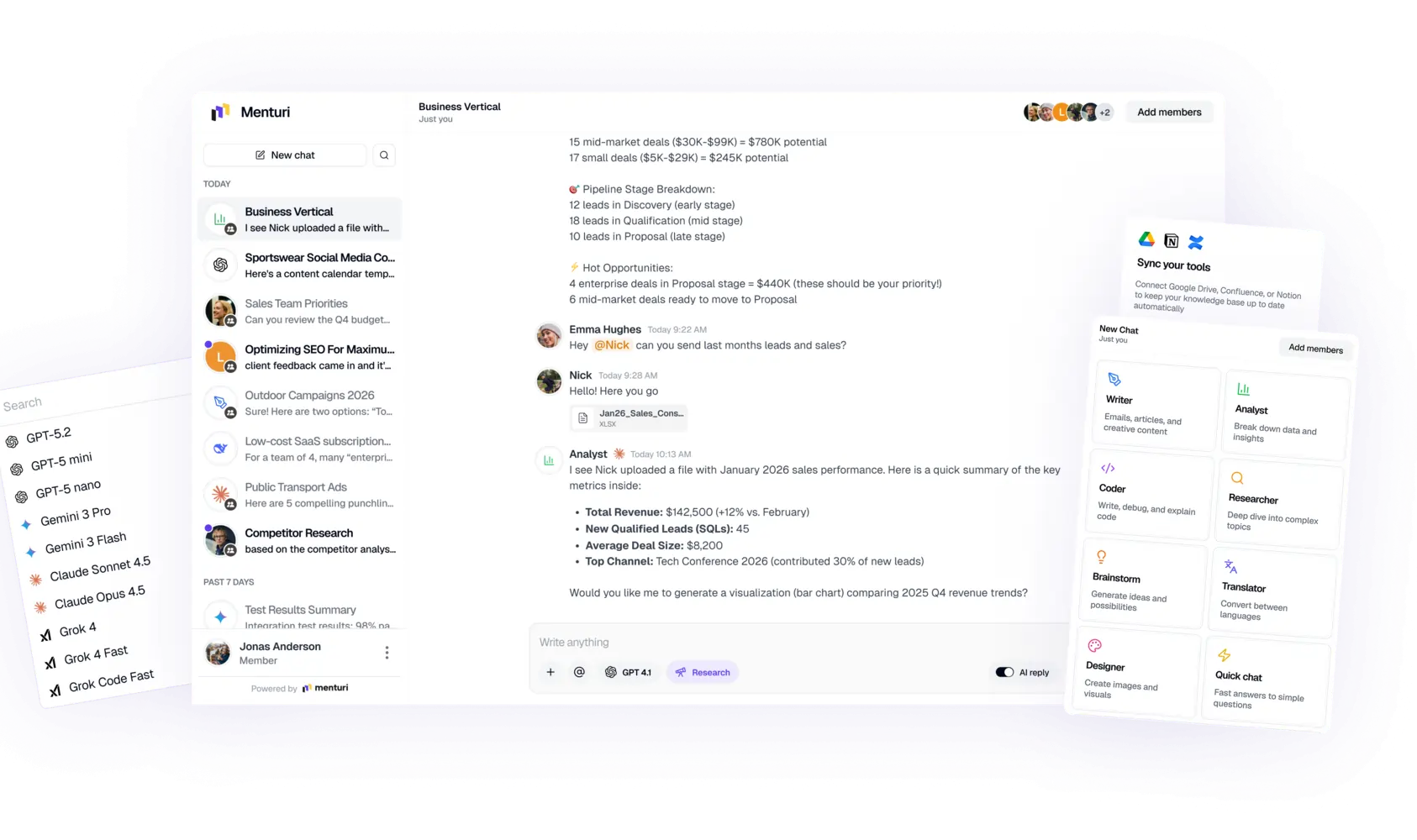
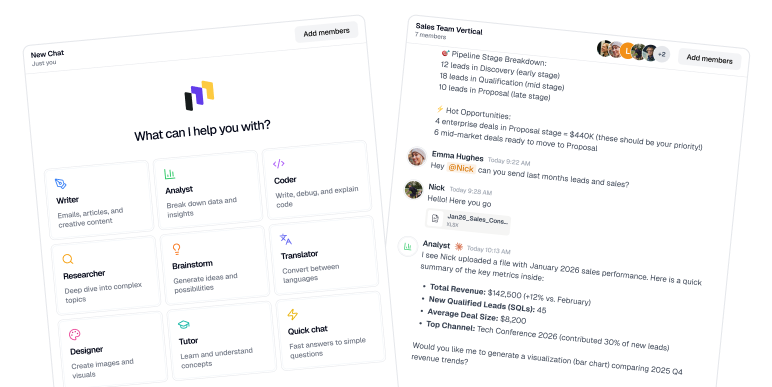
Menturi chat platform
What it does
Menturi is a team-first AI workspace that brings multiple leading models into a single product. Instead of forcing your company to pick one assistant for everything, it lets teams use the best model for the job (writing, analysis, coding help, summarizing long docs) while keeping usage centrally governed.
What stands out in business use
Most companies hit the same wall: AI adoption starts with a few enthusiastic users, then spreads quickly… and suddenly you have:
separate subscriptions everywhere,
no visibility into usage,
unclear data handling, and
costs that are hard to predict.
Menturi is built to avoid that mess. The biggest value isn’t just “chat,” it’s the combination of model access + governance + collaboration in one place.
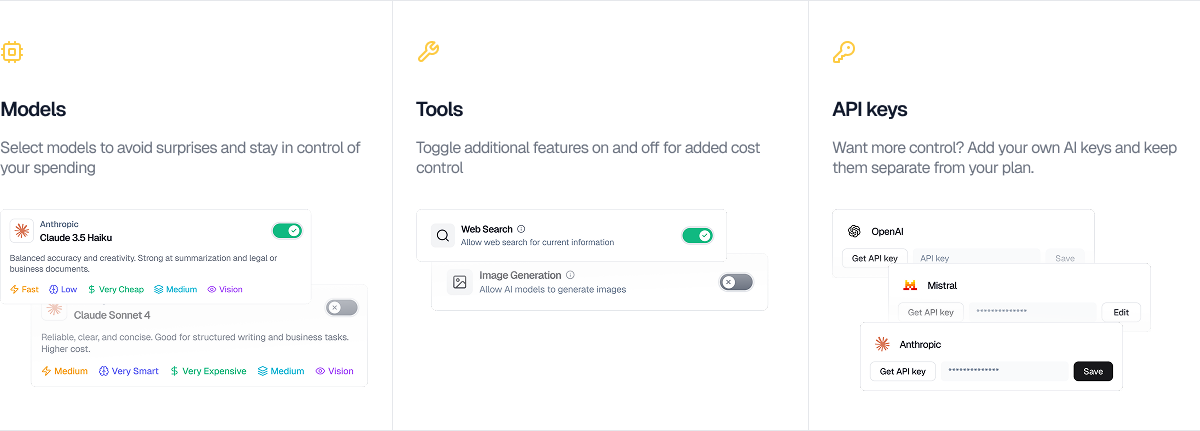
Image showing Menturi's configurable settings
Pros
Multiple models in one interface: Less tool-hopping, fewer “we pay for three assistants” situations.
Cost controls that actually help finance teams: shared credits, visibility by user, exports for reporting.
Admin controls: manage which models are available, set permissions, track usage trends.
Collaboration: shared chats/workspaces make it easy to reuse research and decisions across the team.
Knowledge integrations (depending on setup): connect sources like Drive/Notion/Confluence so answers can be grounded in company docs instead of vague generalities.
Deep Research workflows: good for multi-step research and producing structured outputs you can share.
Cons
Newer product than the big suite vendors; some enterprise checkboxes may still be in progress depending on the plan.
Broad by design: if you only need one narrow thing (only grammar, only a support bot), a specialized tool might be simpler.
Some companies prefer building directly on APIs; Menturi is for teams that want a managed platform rather than assembling the stack themselves.
Pricing
From $9.99/seat/month (annual billing). Higher tiers expand usage and features.
Who it’s best for
Teams that want one AI home base with strong oversight: leadership gets control and visibility, employees get flexibility, and the org avoids subscription overload.
ChatGPT Enterprise is OpenAI’s business plan for organizations that want the familiar ChatGPT experience with enterprise privacy and controls, plus higher performance and capacity.
Pros
Enterprise security posture (encryption, SOC 2 Type II)
Unlimited GPT-5 usage (a major draw if you have heavy users who hit limits elsewhere).
Handles long inputs better than consumer tiers, useful for long docs, extended analysis, large prompts.
Admin console and analytics for user management, SSO, and usage insights.
Advanced Data Analysis included, which can be genuinely useful for spreadsheet-heavy teams.
Cons
Sales-led, custom pricing: often aimed at large deployments; smaller orgs may find it hard to justify or even access without a longer process.
Standalone experience: it’s not naturally embedded into your daily tools (Word, Gmail, etc.) the way suite-native assistants are.
Internal knowledge integration is not “turnkey”: you can do a lot via APIs and custom builds, but it’s not always plug-and-play for internal knowledge base Q&A.
Pricing
Custom (contact sales). Often positioned as a premium enterprise offering.
Who it’s best for
Large organizations that want top-tier general assistant capability with strong security assurances and unlimited usage.
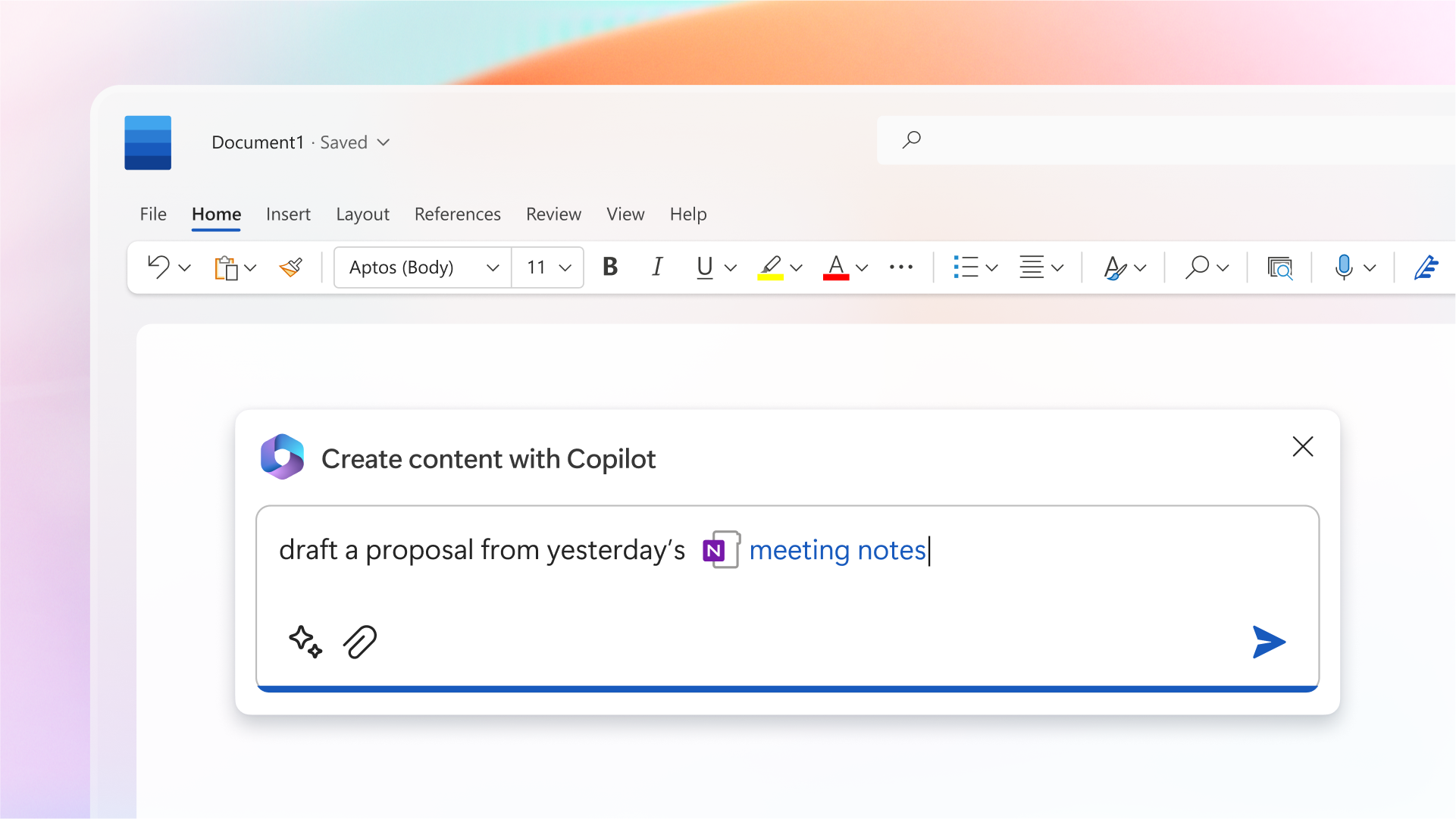
Microsoft Copilot helping user to draft a proposal
What it does
Microsoft 365 Copilot brings AI into Word, Excel, PowerPoint, Outlook, Teams, OneNote, and more. If your company already runs on Microsoft 365, Copilot is designed to feel like a natural extension of how people already work.
Pros
Deep in-app integration: draft in Word, analyze in Excel, summarize in Outlook, recap meetings in Teams, without copy-pasting between tools.
Business context via Microsoft Graph: emails, calendars, SharePoint, Teams chats, OneDrive—with permission-aware access. This is a real differentiator when it works well
Web grounding and citations in some experiences via Bing integration, which helps for factual lookups.
Enterprise governance: inherits many compliance and admin controls your Microsoft tenant already has, which makes IT adoption easier.
Lower learning curve for non-technical users because it lives where they already spend time
Cons
Price: the add-on cost is $30/user/month, which can double the effective cost of productivity tooling for some orgs.
Microsoft-first by design: if you’re not heavily in M365, it’s not a great fit.
Availability and feature maturity can vary by tenant, plan, and rollout timeline.
Pricing
Positioned as a $30/user/month add-on (on top of eligible Microsoft 365 plans).
Who it’s best for
Organizations already committed to Microsoft 365 that want AI embedded directly into daily workflows, especially where internal context (files, emails, meetings) matters.
Google’s Workspace AI features add writing, summarizing, and assistance across Gmail, Docs, Sheets, Slides, and Meet. It’s Google’s answer to Copilot: fewer “separate AI tools,” more “AI built into the suite.”
Pros
Native upgrades to everyday work: draft emails faster, rewrite Docs sections, summarize threads, assist with Sheets formulas and charts, generate assets for Slides, and produce Meet summaries.
Strong fit for Google-native teams: if Gmail + Docs is where work happens, this reduces friction compared to a separate chatbot.
Google has emphasized data protection commitments for Workspace AI use, which matters for business adoption.
In some plans, these features are increasingly bundled, which can make it cost-effective (even if overall plan prices rise).
Cons
Mostly limited to Google apps: it won’t help much outside that ecosystem unless you build workflows around it.
Pricing is plan-dependent and can be confusing (some customers see it bundled; others see add-ons or tier upgrades).
Pricing
Historically positioned around $30/user/month as an add-on; now often bundled into certain Workspace tiers (exact packaging varies).
Who it’s best for
Google Workspace organizations that want in-app writing and summarization without adopting a separate AI tool.
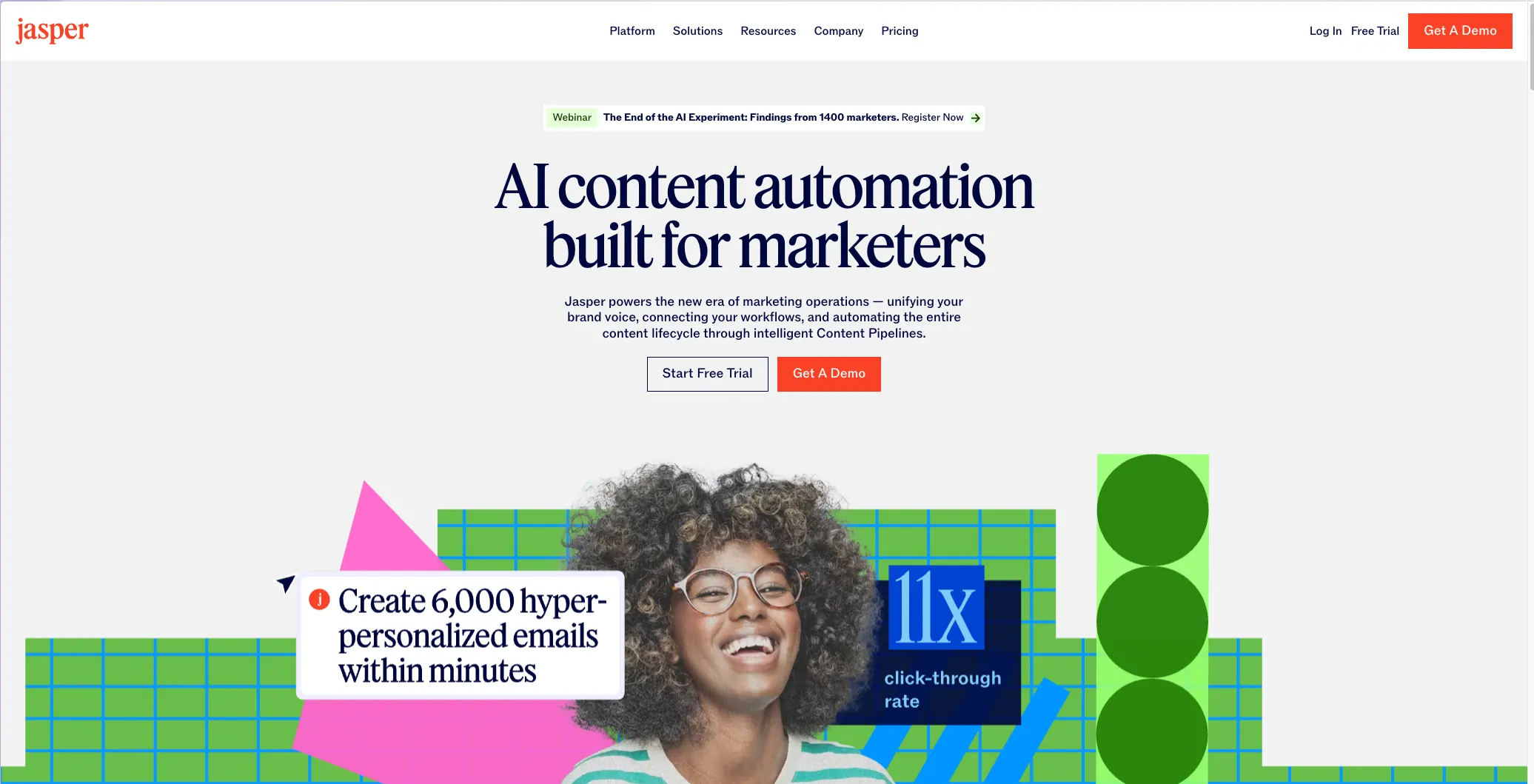
Jasper is a marketing-focused writing platform built around templates, campaign workflows, and brand controls. It’s a content generator for teams producing lots of copy.
Pros
Templates for common marketing assets: blog intros, ad variants, product descriptions, emails, social posts.
Brand voice tools help keep output consistent across writers and campaigns.
Team collaboration features in business tiers (workspaces, approvals, etc.).
Can include image generation features depending on the plan.
Cons
Cost can climb with teams and advanced features.
Not designed for research-heavy Q&A (and generally doesn’t cite sources).
Like any writing generator, it can drift into generic marketing language without strong inputs and editing.
Teams still need a fact-checking process, especially for stats and claims.
Pricing
From around $59/month for single-seat plans; business/enterprise pricing varies.
Who it’s best for
Marketing teams who publish frequently and want repeatable workflows and brand consistency, not just a chatbot.
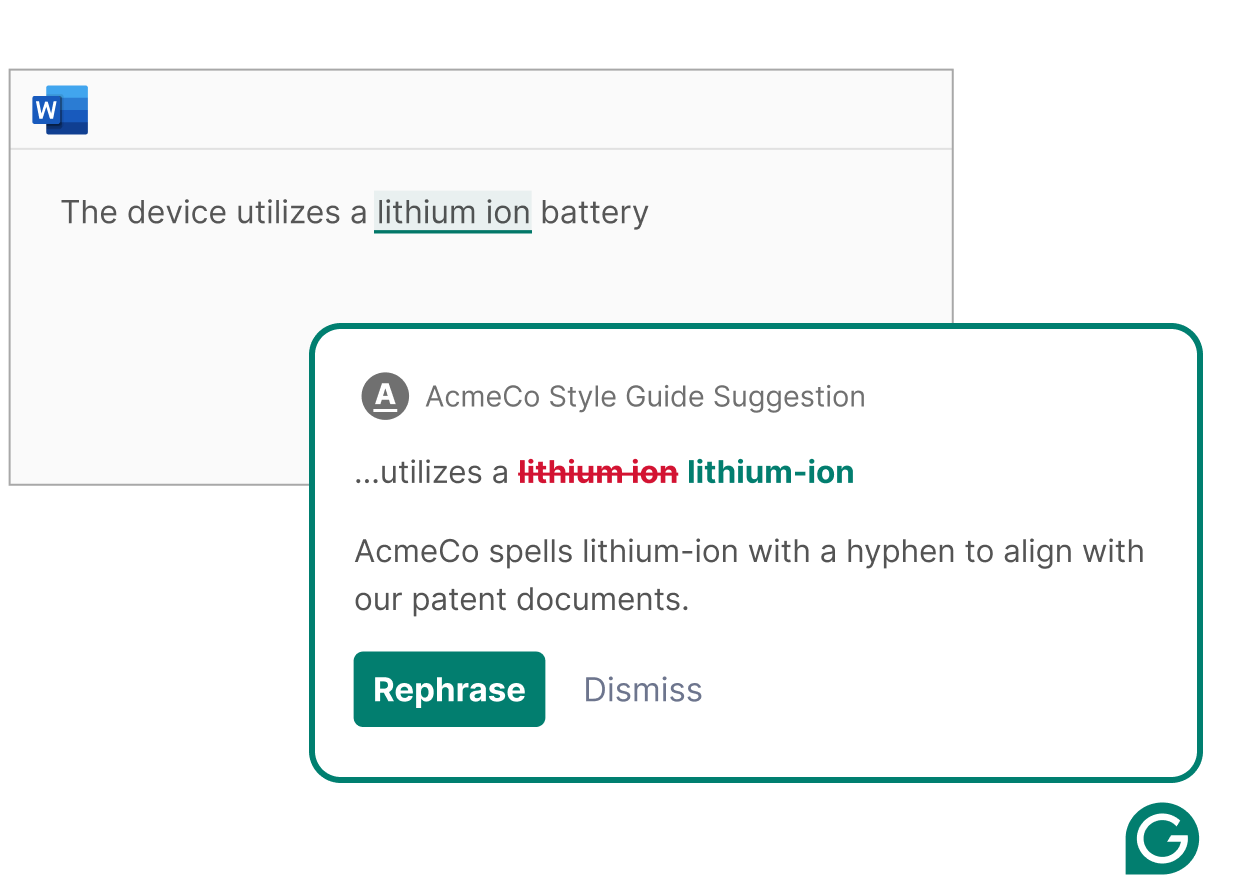
Image showing how Grammarly corrects grammar in a Word doc
What it does
Grammarly Business improves writing in real time and adds generative features (GrammarlyGO) for drafting and rewriting. It’s more “editor + style guardian” than “general AI assistant.”
Pros
Works across many apps (browser, email, docs) and catches issues before messages go out.
Tone and clarity improvements are useful for customer-facing teams and exec comms.
Style guides enforce company terminology and brand voice consistency across departments.
Admin tools and reporting help show adoption and common problem areas.
Cons
Not a research tool and not designed for deep analysis or knowledge Q&A.
AI drafting can be safe but a bit bland if used without human touch.
Best for English-first teams; multilingual support is improving but still uneven for nuanced writing.
Pricing
Commonly ~$15–$25/user/month depending on volume and billing.
Who it’s best for
Organizations that care deeply about communication quality and consistency—support, sales, HR, marketing, leadership.
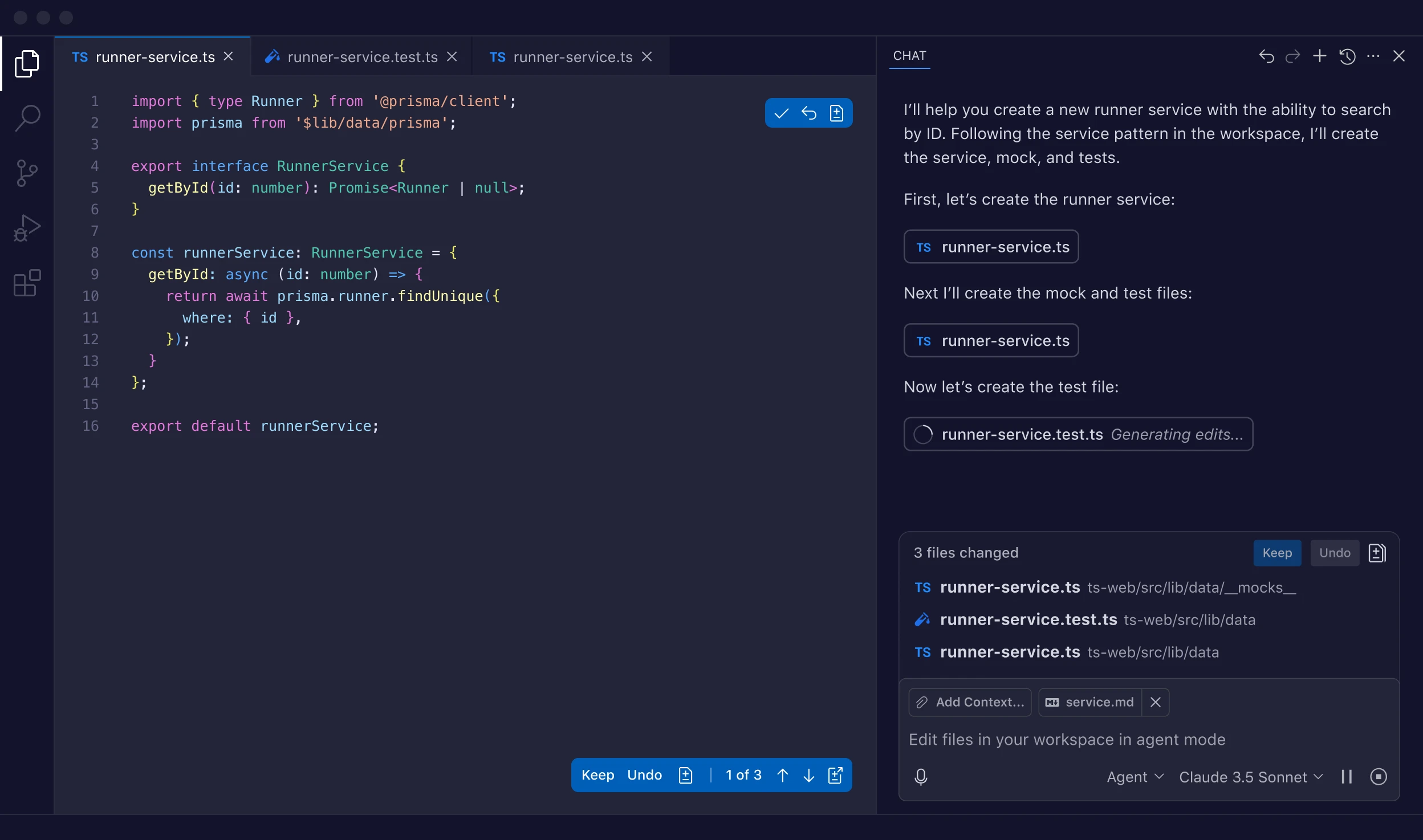
Copilot suggests code as developers type, and increasingly supports chat-style assistance inside IDEs. Business tiers add org controls and stronger privacy posture for work use.
Pros
Major boost for boilerplate and common patterns (tests, CRUD, configs).
Developers can describe intent in comments and get working starting points quickly.
Works across many languages and IDEs, so it fits most teams without changing tools.
Org-level license management and policies reduce shadow-IT risk.
Cons
Requires strong review/testing culture, treat it like a junior dev who works fast.
Meant solely for developers
Pricing
$19/user/month for Business.
Who it’s best for
Any company with a real engineering team that wants faster delivery, especially where dev time is expensive.
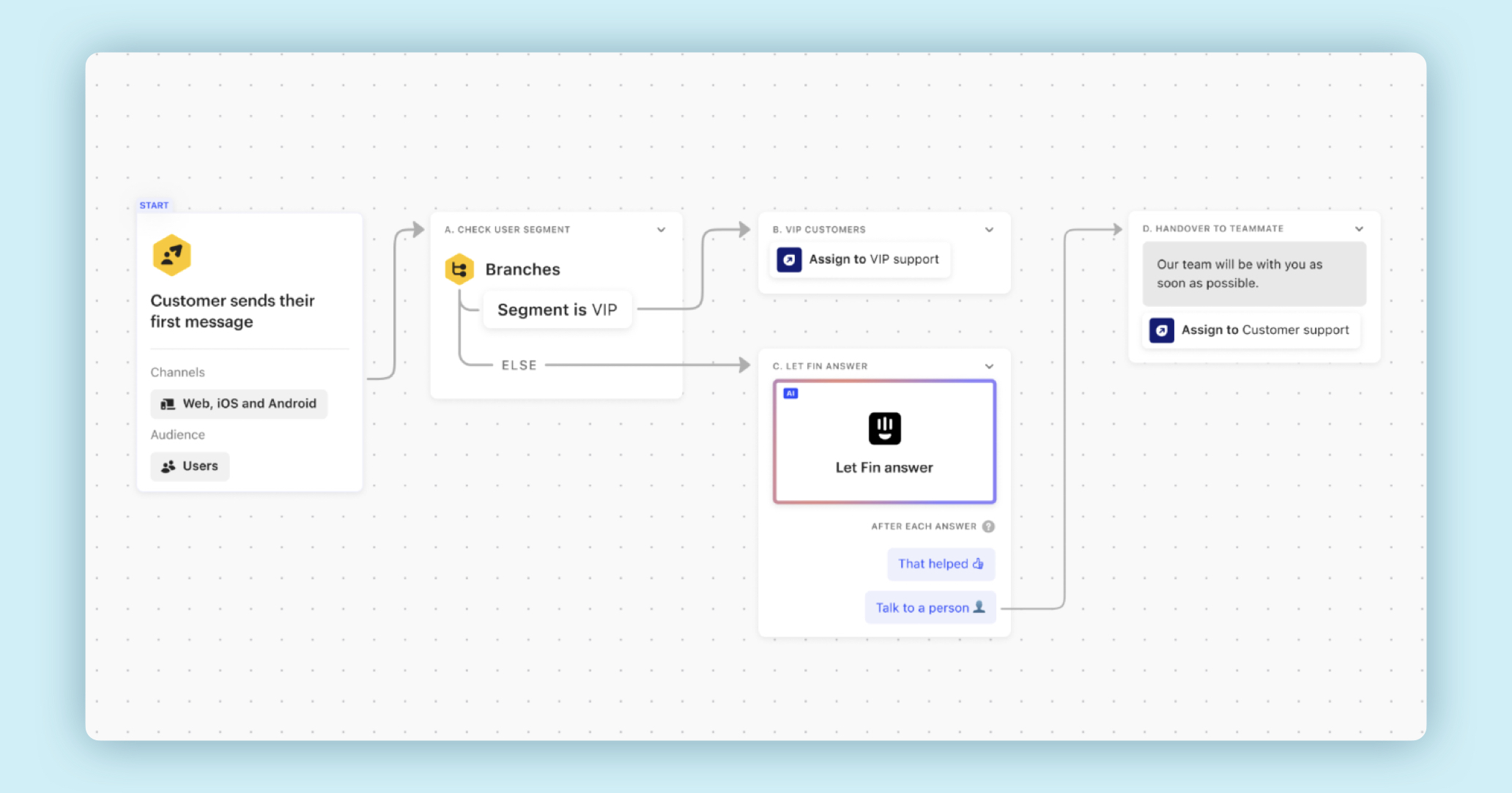
Fin answers customer questions using your help center content. It’s designed to resolve repetitive issues automatically and route complex cases to human agents.
Pros
Immediate answers for common issues, 24/7.
Uses your docs, so it’s closer to “company-approved answers” than generic chatbot replies.
Smooth escalation to humans, keeping context intact.
Analytics show what customers ask and what your docs are missing—useful for improving your help center.
Cons
Quality depends on documentation; weak docs = weak bot.
Pricing includes a per-resolution fee, which can grow quickly at scale (though still often cheaper than human handling).
Intercom ecosystem required; not a standalone chatbot you drop into anything.
Pricing
$29/seat/month + $0.99 per AI resolution (plan-dependent).
Who it’s best for
Support teams with high volume and good docs who want to deflect repetitive tickets and free humans for harder problems.
Otter records/transcribes meetings and generates summaries and action items. It’s most valuable in meeting-heavy organizations where decisions and follow-ups get lost.
Pros
Reliable transcripts for Zoom/Teams/Meet and searchable meeting history.
Summaries and action items reduce post-meeting admin work.
Helps absent teammates catch up quickly without watching recordings.
Great “organizational memory” benefit: you can find when decisions were made.
Cons
Accuracy depends on audio quality, jargon, names, and accents.
Recording/transcription requires clear privacy and consent norms.
Summaries can miss nuance; important meetings still need a human review of key decisions.
Pricing
$20/user/month (annual) for Business; Enterprise adds SSO and deeper controls.
Who it’s best for
Remote/hybrid teams with lots of meetings who want better follow-through and searchable notes.
Tool
Best for
Admin controls
Internal knowledge use
Web citations
Menturi
Multi-model + governance + collaboration
Yes
Yes (connectors)
Yes
ChatGPT Enterprise
Secure unlimited GPT-4
Yes
Limited / native evolving
No (default)
Microsoft 365 Copilot
Office workflows
Yes
Yes (Graph)
Partial
Google Workspace AI
Google app workflows
Yes
Yes (Workspace data)
Usually no
Jasper
Marketing content
Yes (tiers)
Partial (brand memory)
No
Grammarly Business
Writing quality
Yes
No
No
GitHub Copilot Business
Coding
Yes
Partial (repo context)
No
Intercom Fin
Support automation
Yes
Yes (help center)
Links to KB
Otter.ai
Meetings
Yes
No
N/A
Conclusion: Why Menturi Ranks #1 for Businesses
All of these tools can be excellent—in the right lane. The reason Menturi comes out on top is that it addresses the broader, messier reality of AI at work: companies don’t just need “a chatbot.” They need a controlled, shareable, cost-manageable way to roll out AI across departments.
Menturi’s edge is the combination of:
Multiple top models in one place (so teams can choose the best fit per task)
Admin oversight that helps IT and finance feel comfortable rolling it out
Cost control (limits, shared credits, usage reporting)
Collaboration so the value compounds across the team, not per individual user
Knowledge connections that make answers more useful and less generic when you need company-specific context
It’s the most “complete” option on this list for businesses that want to scale AI use without losing control.
Menturi's AI chat views
Frequently Asked Questions
How do we choose the right AI tool?
Start with your top workflows:
Writing quality and tone → Grammarly Business
Marketing output at scale → Jasper
Coding → GitHub Copilot Business
Customer support deflection → Intercom Fin
Meetings and recaps → Otter.ai
Office productivity in Microsoft → Microsoft 365 Copilot
Office productivity in Google → Google Workspace AI
Broad, cross-team AI rollout with governance → Menturi or ChatGPT Enterprise (depending on size and needs)
Is it safe to use AI tools with sensitive company data?
It can be—if you use business plans with clear data protections and you set internal rules. Even then, avoid pasting secrets (passwords, private keys) into any assistant.
Will large companies use more than one AI tool?
In many cases, yes. It’s common to pair a general assistant platform with specialist tools: dev teams use Copilot, support uses Fin, marketing uses Jasper/Grammarly, and the wider org uses a governed assistant hub.
How does Menturi pricing work in practice?
Menturi is a subscription with shared monthly credits across the team, plus the option to add more if needed. For most teams, that’s a more predictable way to manage usage than juggling separate subscriptions for different models and tools.
Ready to try it with your team?
Start a workspace, invite a teammate, and test Menturi on a real task (writing, analysis, or Deep Research) in minutes.
ChatGPT Enterprise Use Cases: 10 Ways Teams Are Using AI in 2026
Discover 10 practical ChatGPT Enterprise use cases for marketing, sales, HR, support, and ops. Learn how teams are using AI in 2026, plus pricing and alternatives.
How to Track AI Costs Across Your Team (2026)
Learn how to track and manage AI spending across your team. Covers cost tracking methods, budgeting strategies, and tools to prevent surprise bills from ChatGPT, Claude, and other AI services.
AI Knowledge Base Chatbot: What It Is + How to Build One for Your Team (2026)
Looking for an AI knowledge base chatbot for your team? Learn what these tools actually do, how to choose between Notion AI, ChatGPT Business, and other options, and what you need to set one up in 2026.
AI Acceptable Use Policy Template + Examples (2026)
A free AI Acceptable Use Policy (AUP) template for 2026, plus a simple rollout checklist to implement it fast and safely.




.png)

.png)
.png)
.png)