AI at work is no longer experimental. In 2026, companies of all sizes use ChatGPT Enterprise, Claude, and Gemini daily. The question isn't "should we use AI?" anymore. It's "how do we use it well?"
This guide covers 10 real ways teams are using ChatGPT Enterprise today. Not theoretical examples. Actual workflows that save time, cut costs, and get results.
Quick note: while this article focuses on ChatGPT Enterprise, most of these use cases work equally well with Claude (from Anthropic) or Gemini (from Google). Different models have different strengths. We'll touch on that as we go.
ChatGPT Enterprise is OpenAI's business tier. It's built for organizations that need security, scale, and admin controls beyond what you get with a personal subscription.
Current pricing (2026):
Enterprise tiers include SAML SSO, SCIM provisioning, admin analytics, custom data retention, and priority support. Claude also offers HIPAA-ready options and doesn't train on your data by default.
The cost reality: For a 50-person team on ChatGPT Enterprise, you're looking at $2,500-3,000/month. Add Claude Enterprise and you could easily double that. These costs add up fast, which is why many teams are exploring alternatives that offer the same models at lower per-seat prices.
Now let's look at what teams actually do with these tools.
Marketing teams produce a lot of content. Blog posts, social media updates, email campaigns, landing pages, ad copy. AI doesn't replace writers, but it speeds up the process dramatically.
How teams use it:
Example: A SaaS company's marketing team uses ChatGPT Enterprise to draft weekly blog content. The writer provides an outline and key points. ChatGPT produces a first draft. The writer then edits for voice, adds expertise, and polishes. Total time per post dropped from 6 hours to 2.
Claude handles this equally well. Some marketers actually prefer Claude for longer-form content because it tends to maintain consistent tone across lengthy pieces.
Generic sales emails get ignored. Personalized ones get replies. But researching each prospect and writing custom emails takes forever. AI changes that math.
How teams use it:
Example: A B2B sales team pastes a prospect's "About" page and recent press releases into ChatGPT. They get a personalized email that references the company's recent product launch and connects it to their own solution. Response rates went up 40% compared to template-based outreach.
Support teams spend hours answering the same questions. Good documentation reduces ticket volume. But writing and maintaining docs is tedious work.
How teams use it:
Example: A software company's support lead exports 50 resolved tickets about a common issue. ChatGPT analyzes the conversations, identifies the core problem and solution, and drafts a knowledge base article. Human review and publish. What used to take a full afternoon now takes 20 minutes.
Here's where things get interesting. After using ChatGPT Enterprise for a few months, teams often discover that different AI models are better at different things.
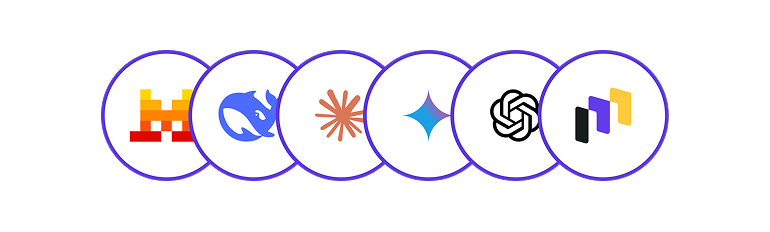
ChatGPT excels at creative tasks and general conversation. Claude tends to be better at detailed analysis, longer documents, and tasks requiring careful reasoning. Gemini integrates tightly with Google Workspace.
So what happens? Teams want to try Claude for their legal document review. They want Gemini for spreadsheet analysis. But now they're managing three separate subscriptions. Three admin consoles. Three sets of permissions. Three invoices.
And the costs multiply. ChatGPT Enterprise at $50-60/seat plus Claude Enterprise at similar pricing? For a 30-person team, you're suddenly spending $3,000+ per month on AI subscriptions. Most finance teams start asking hard questions at that point.
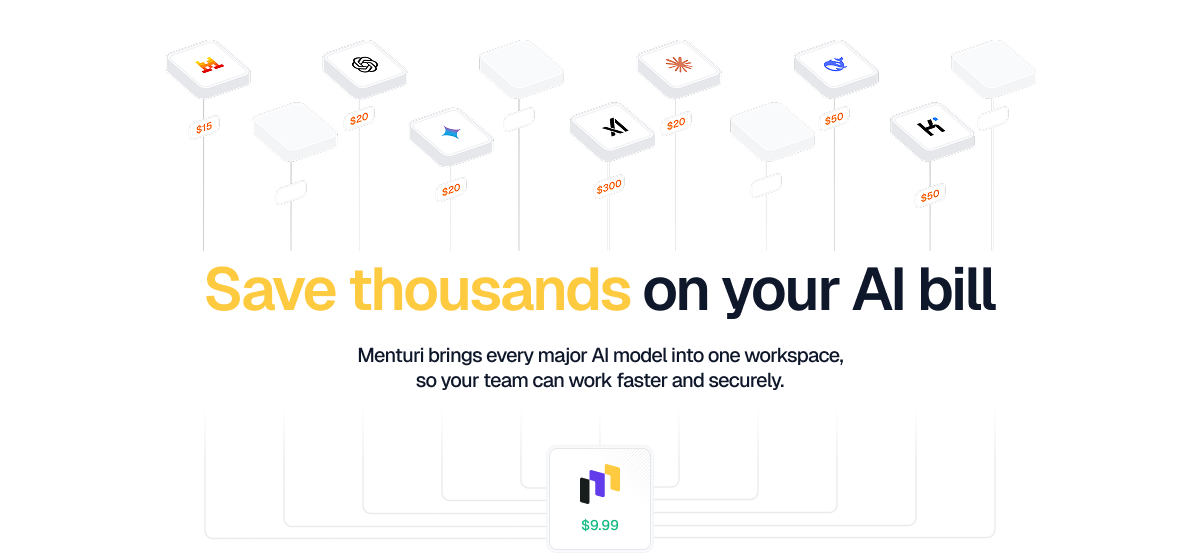
This is why teams are moving to unified platforms like Menturi. Instead of paying $50-60/seat for each vendor, Menturi gives you ChatGPT, Claude, and Gemini in one workspace starting at $9.99/seat/month. That's not a typo. For roughly the price of one ChatGPT Enterprise seat, you can give five team members access to all three major AI models.
You get the same capabilities: team management, usage analytics, knowledge base features, and the option to bring your own API keys if you already have OpenAI or Anthropic accounts. The difference is you're not paying enterprise markup to each vendor separately.
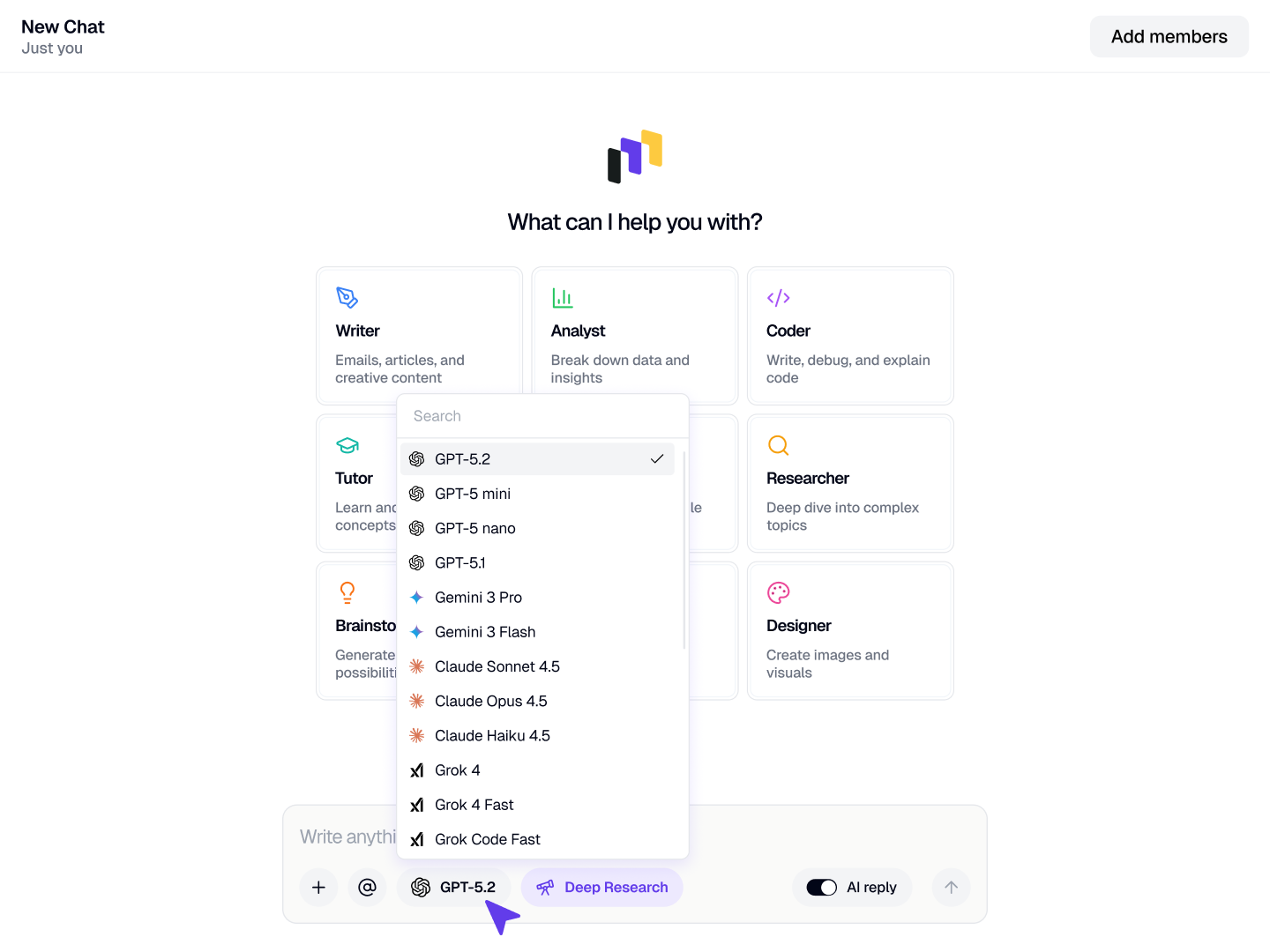
The ability to switch between models without switching tools matters too. When you discover Claude handles your legal review better than ChatGPT, you just... use Claude. No new procurement process. No IT tickets. No additional subscription.
HR teams answer the same questions repeatedly. "What's our vacation policy?" "How do I submit expenses?" "When is open enrollment?" AI can handle tier-one questions while HR focuses on complex issues.
How teams use it:
Example: A 500-person company built a custom GPT trained on their employee handbook and HR policies. Employees ask it questions first. HR intervention dropped 60% for routine queries.
Meetings generate ideas. They also generate confusion about who agreed to what. AI turns rambling conversations into clear summaries.
How teams use it:
Example: A product team records all their meetings. After each one, they run the transcript through Claude. It produces a summary, a list of decisions made, and action items with assigned owners. Everyone gets the same clear picture of what happened.
Claude is particularly good at this because it handles long transcripts well, thanks to its 200K token context window.
Developers spend significant time reviewing code and writing documentation. AI accelerates both.
How teams use it:
Example: A development team uses ChatGPT Enterprise to generate initial documentation for APIs. It reads the code, understands the parameters and responses, and drafts OpenAPI specs. Engineers review and refine. Documentation that used to get skipped now gets done.
For code-heavy work, teams often benefit from comparing outputs across models. ChatGPT, Claude, and Gemini all have different strengths with different programming languages and frameworks. Having access to all three through a platform like Menturi means you can use whatever works best for each task.
Legal teams review contracts constantly. First-pass review, identifying non-standard clauses, and summarizing terms are all tasks where AI adds value.
How teams use it:
Example: A procurement team reviews vendor contracts. They upload the contract to Claude, which identifies deviations from their standard terms. The legal team only looks at flagged sections instead of reading everything. Review time per contract dropped from 2 hours to 30 minutes.
Many legal professionals prefer Claude for this work because it's careful about edge cases and tends not to hallucinate when precision matters. That said, ChatGPT handles straightforward contracts well.
Business teams work with data but aren't always comfortable writing queries or building reports. AI bridges that gap.
How teams use it:
Example: A finance manager uploads quarterly expense data to ChatGPT. They ask "show me which departments exceeded their budget and by how much." ChatGPT generates a summary table and a chart. No SQL skills required.
For teams that do this frequently, cost tracking becomes critical. AI usage adds up fast. A single complex analysis might cost $2-5 in API calls. Multiply that across a team running dozens of reports daily, and you need visibility into spending.
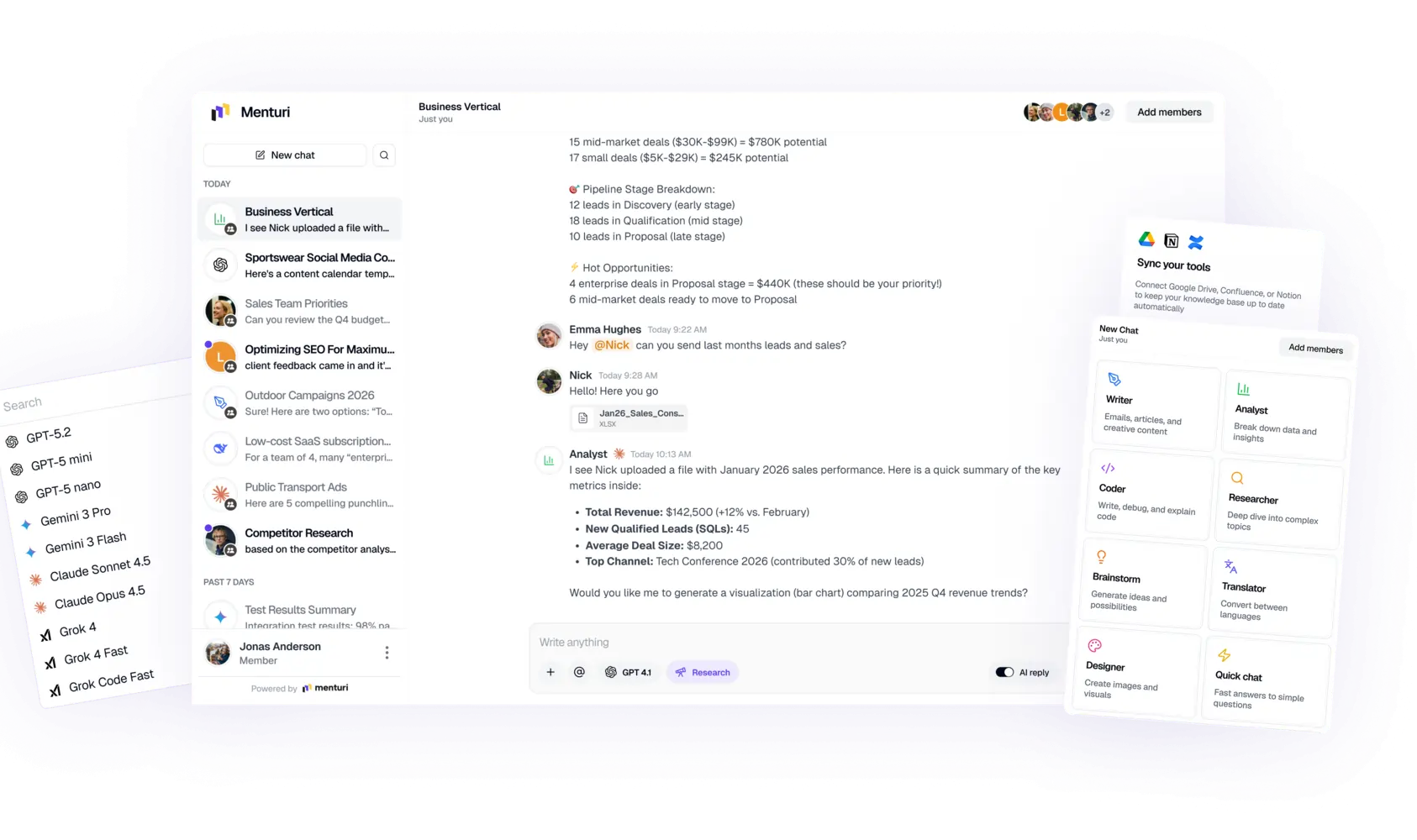
This is where Menturi's cost control features shine. You see exactly how much each team, project, or individual spends across all models. Set budgets and get alerts before you hit them. No more surprise bills at the end of the month. For finance teams worried about AI spend getting out of control, this visibility is often the deciding factor.
New hires need to learn a lot quickly. AI helps create and maintain training content.
How teams use it:
Example: A customer success team creates onboarding materials for new CSMs. They feed their product docs, common customer questions, and best practices into ChatGPT. It generates a week-by-week onboarding curriculum with reading lists, practice scenarios, and knowledge checks.
When you have a growing team, managing who has access to what becomes critical. With separate ChatGPT and Claude subscriptions, onboarding means setting up accounts in multiple places. Unified platforms simplify this: add someone to Menturi, and they get access to all models immediately.
Understanding your market requires reading lots of material. AI helps digest and synthesize information.
How teams use it:
Example: A product manager tracks five competitors. Monthly, they feed recent news, product updates, and reviews into Claude. It generates a competitive landscape summary highlighting new features, pricing changes, and customer sentiment. What used to take a day takes an hour.
Let's talk numbers. Here's what enterprise AI actually costs for a 50-person team:
That's roughly 85% savings. Not by getting less, but by avoiding the enterprise markup each vendor adds for features like SSO and admin controls.
The math changes the conversation. Instead of "can we afford to give everyone AI access?", it becomes "why wouldn't we give everyone AI access?"
With Menturi, you can also bring your own API keys. If you already have an OpenAI or Anthropic account, connect it and get the unified workspace benefits without changing your existing billing setup.
Based on these use cases, here's what matters for enterprise AI deployment:
Security and compliance: Your data stays private. No training on your content. SOC 2 compliance matters. For regulated industries, HIPAA options are essential.
Admin controls: SSO, user provisioning, usage analytics. IT needs to manage this at scale without creating extra work.
Cost visibility and control: AI usage can grow fast. You need to see who's using what and how much it costs. Budget limits and alerts prevent runaway spending.
Flexibility: Different models work better for different tasks. Being locked into one vendor limits your options and negotiating power.
Reasonable pricing: Enterprise features shouldn't cost $50-60 per seat. That prices out most teams from giving everyone access.
Menturi gives you all three models in one workspace, with enterprise features included, at $9.99-14.99/seat instead of $50-60. The difference is you're not paying the "enterprise" tax three times over.
ChatGPT Enterprise pricing is custom, typically ranging from $50-60 per seat per month for large deployments. Smaller teams often start with ChatGPT Business at around $25-30 per seat. Contact OpenAI's sales team for exact quotes.
For individuals, Plus at $20/month is usually enough. For teams, Enterprise adds SSO, admin controls, longer context windows, and no training on your data. The question is whether those features are worth $50-60/seat when alternatives like Menturi offer similar capabilities for $9.99-14.99/seat with access to multiple models included.
Both offer similar security and admin features. ChatGPT tends to be more conversational and creative. Claude handles longer documents and careful analysis well. Many teams use both for different tasks.
Yes. Enterprise tier data is not used to train OpenAI's models. You can configure data retention policies and meet compliance requirements. That said, always review the specific terms with your legal team.
Instead of managing separate subscriptions for ChatGPT, Claude, and Gemini, consider a unified platform like Menturi. You get all three models in one workspace, with single sign-on, team management, and cost tracking. Pricing starts at $9.99/seat/month, which is 80-85% less than buying enterprise subscriptions from each vendor directly.
The biggest cost driver is per-seat enterprise pricing from vendors like OpenAI and Anthropic. A unified platform like Menturi gives you enterprise features at a fraction of the cost. You can also bring your own API keys if you have existing accounts, use cost tracking to identify waste, and set budgets by team or project. The goal is visibility and control, not restriction.
No. ChatGPT Enterprise has the same chat interface as the free version. Anyone who can type a question can use it. The admin features require some technical knowledge, but day-to-day use is simple.
ChatGPT Enterprise is a capable tool for teams that need AI with enterprise security. The 10 use cases above are just the start. Every department can benefit.
But here's the reality: no single AI model is best at everything. And paying $50-60/seat to each vendor adds up fast. A 50-person team could easily spend $60,000+ per year on AI subscriptions.
The teams getting the most from AI in 2026 aren't locked into one vendor or overpaying for enterprise markup. They use ChatGPT for some tasks, Claude for others, and Gemini when Google Workspace integration matters. And they do it through unified platforms that don't charge enterprise prices for basic team features.
.png)
.png)
.png)